Cutler / Final Cut Pro MCP
MCP for Final Cut Pro
A Final Cut Pro MCP that knows the footage.
MCP is how Claude and ChatGPT use tools on your Mac. Most Final Cut MCP servers work on a timeline you already have. Cutler starts earlier, at the camera cards: it does the assistant editor's work first, so your AI cuts from transcripts, shot descriptions and synced media, not from file names.
Updated 21 November 2026 · by Erik Lindgren, editor and maker of Cutler
The tools your AI gets
| Tool | What it lets your AI do |
|---|---|
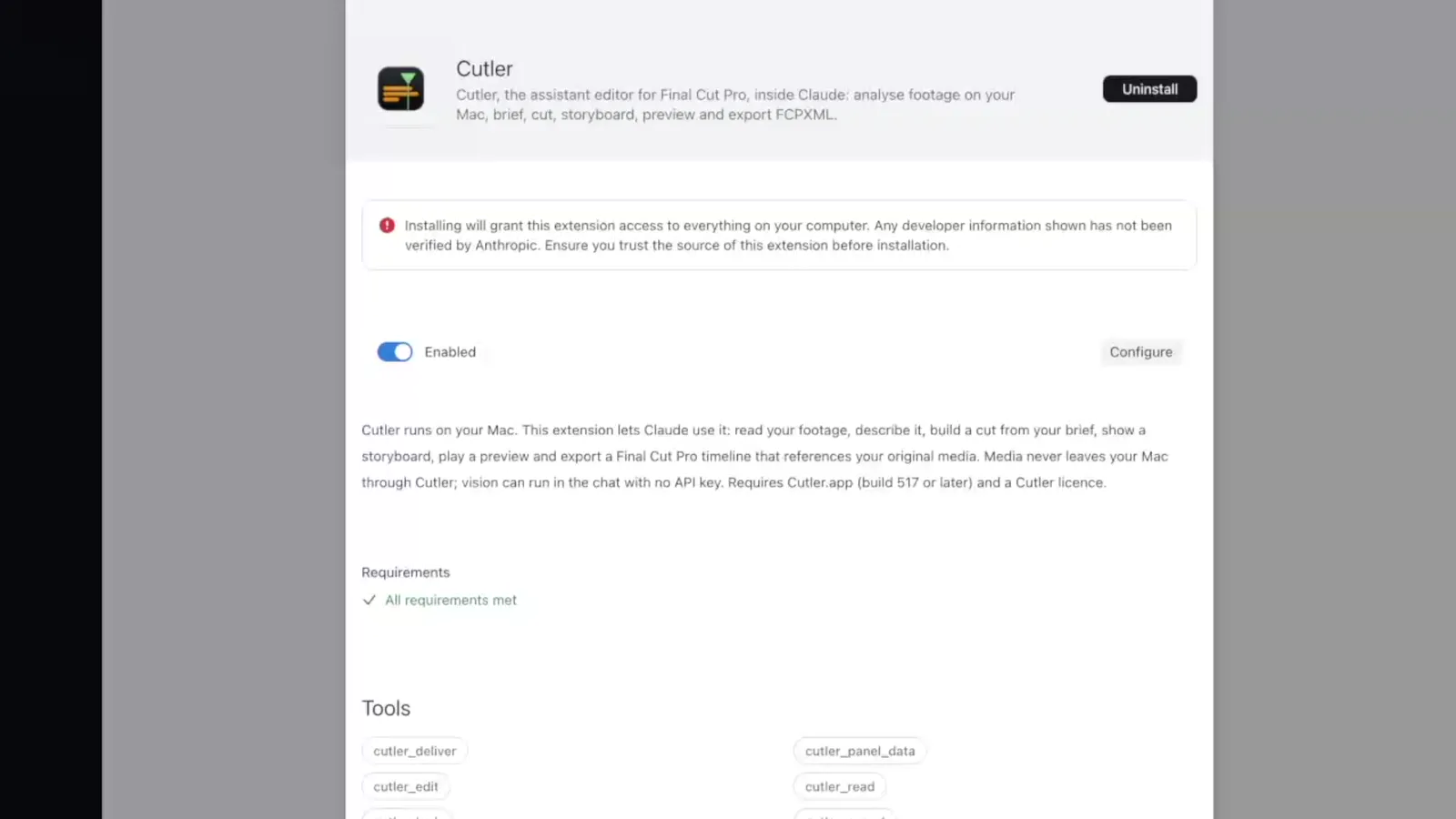
cutler_read | Free reads: the footage, transcripts, sentences and takes, the brief, running jobs and what Cutler can do. |
cutler_look | Storyboards and contact sheets of your clips, made on your Mac, so the AI can see shots. |
cutler_edit | Free changes to the cut: write a paper edit, check it, revise one row. |
cutler_deliver | A preview, and the export to Final Cut Pro when you ask for it. |
cutler_spend | Anything that costs money, only within a ceiling you set. |
Rules built into the tools
- Your media is never touched. Every cut references your original files. The AI doesn't render, transcode, resize or splice anything.
- It exports only when you ask. One export per request, and nothing extra you didn't ask for.
- Nothing paid without your ceiling. Paid work goes through one tool, inside a limit you set.
- Checked before saved. A cut is checked against Final Cut's rules before it's written.
- Reported apart from guessed. Your AI is told to keep what Cutler measured apart from what it infers, and to say which is which.
Where it runs
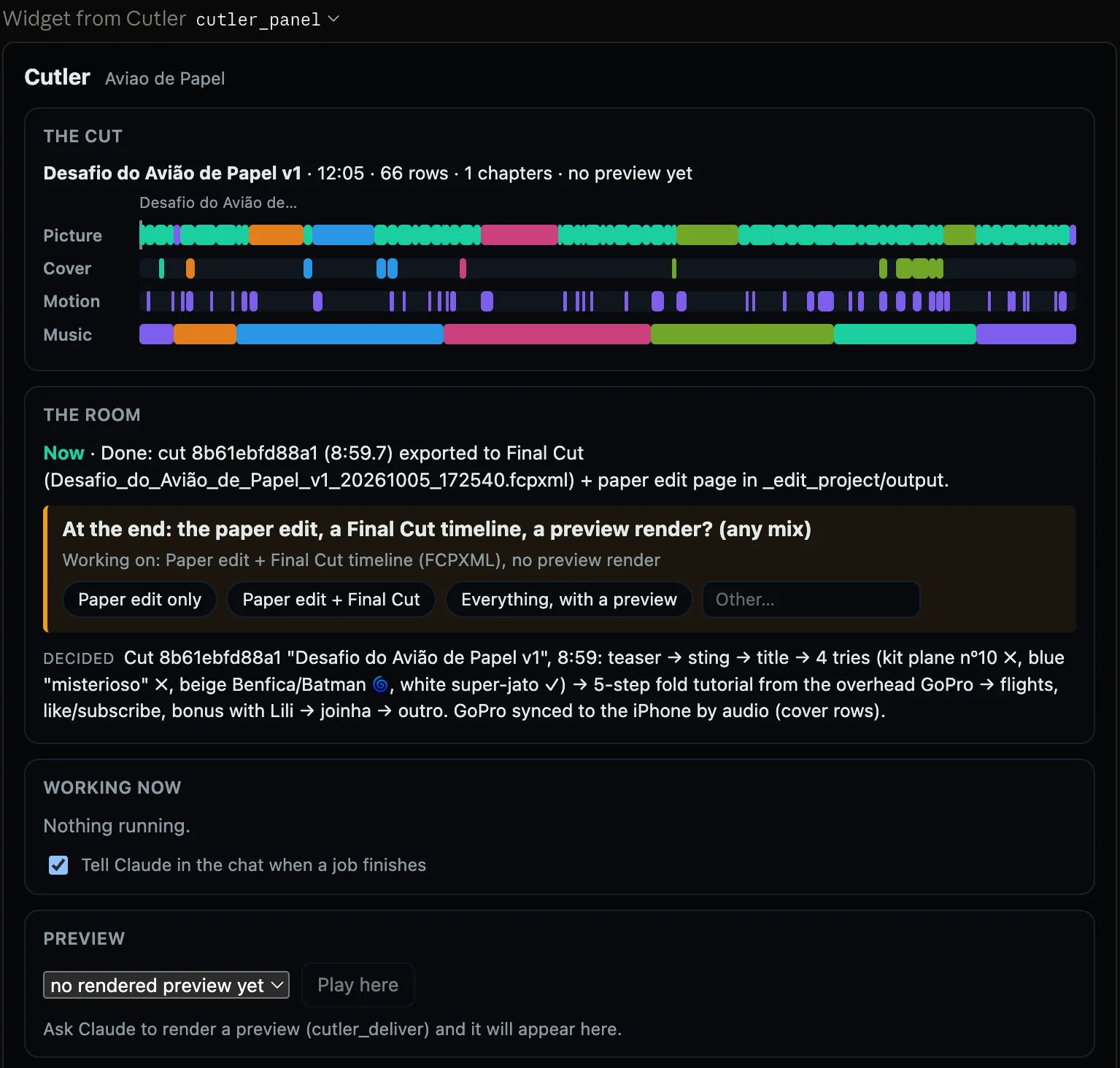
In the Claude app as an extension, with Cutler's live panel in the chat and no terminal. In Claude Code as a plugin. In ChatGPT through Codex. All of them use the plan you already pay for.
Cutler or an open-source Final Cut MCP?
If you want to script changes to a timeline you already have, an open-source MCP server may be all you need, and it's free. If you're starting from a folder of raw footage, Cutler adds the part those servers leave out: sync by sound, transcription and logging on your Mac, a paper edit with a reason on every row, and a validated Final Cut project with roles, keywords and native multicam.
Questions
Do I need an API key?
No. Cutler's tools run on the Claude or ChatGPT plan you already have. An API key is only an advanced option.
Does the AI get my video files?
No. It works from transcripts, Cutler's notes and still frames that Cutler makes on your Mac. It never renders, copies or re-encodes your media.
Is Cutler's MCP server open source?
No. It's part of the Cutler app and comes with your licence. Cutler itself includes no AI: the model is your Claude or ChatGPT.
Which apps can use it?
The Claude app (as an extension, no terminal), Claude Code (as a plugin), and ChatGPT through Codex. Cutler's own window can also run the edit, signed in with ChatGPT.
Keep reading
Cutler · macOS · Apple Silicon
AI video editing that shows its work.
One-time purchase, €25 for the first 100 founder licences. Your AI plan stays yours.