Cutler for coaches, teachers and creators · Mac
You record. Claude edits. You get the finished video.
Cutler is a Mac app that lets Claude, or ChatGPT, edit your video. It watches your footage, picks the best parts, explains every cut, and hands you a finished video file. It runs on the Claude or ChatGPT plan you already have.
Updated 11 November 2026 · by Erik Lindgren, editor and maker of Cutler
Mac with Apple Silicon · Needs a Claude or ChatGPT plan
 How Cutler works · 90 sec
The problem
The recording is done. The edit never happens.
You can talk to a camera for an hour. That part is easy. Then the footage sits on your drive, because editing means:
- Watching yourself back for every take
- Deciding which version of the sentence was better
- Learning software built for professional editors
- Paying someone and waiting, or doing it at midnight
So the course launch slips, the podcast episode waits, and the client video goes out late.
How it works
Five steps. You only do two of them.
- Drop in your footage. Add the files from your camera, phone or screen recorder. Cutler works from your originals. It doesn't make copies or fill your disk.
- Tell Claude what you want, in plain words. "Make a 6-minute lesson from this. Keep the story about my first client. Cut the part where I lost my train of thought."
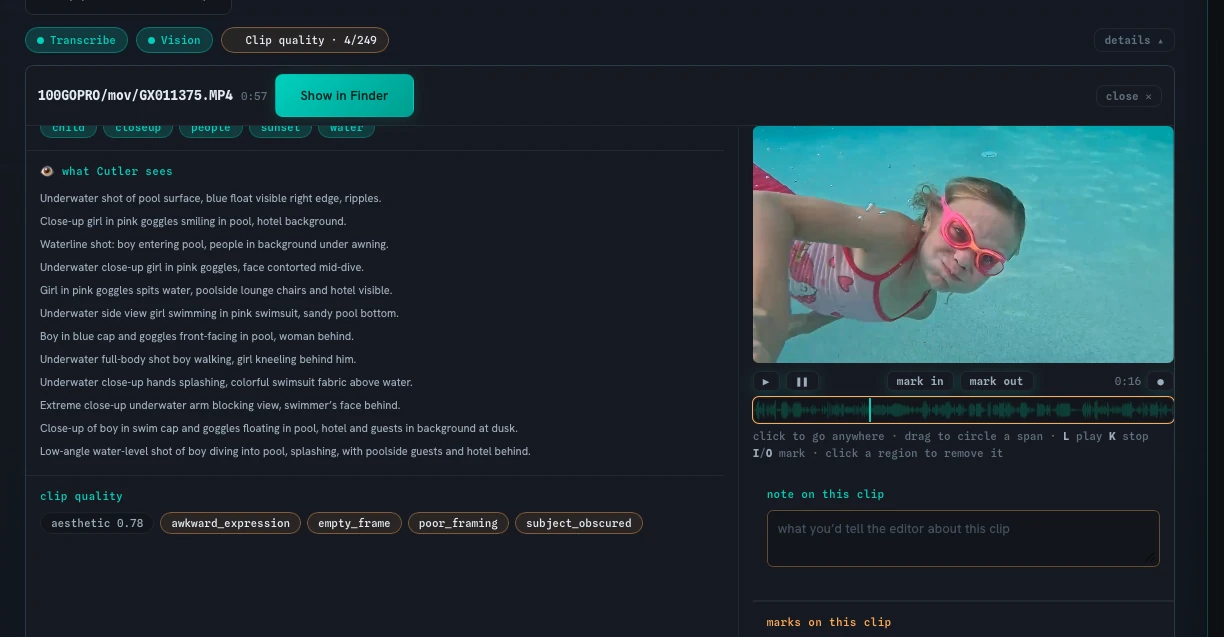
- Cutler watches and logs everything. It transcribes on your Mac, looks at the actual picture, not just the words, flags shots that are soft or badly framed, and lines up your camera with a separate microphone by sound.
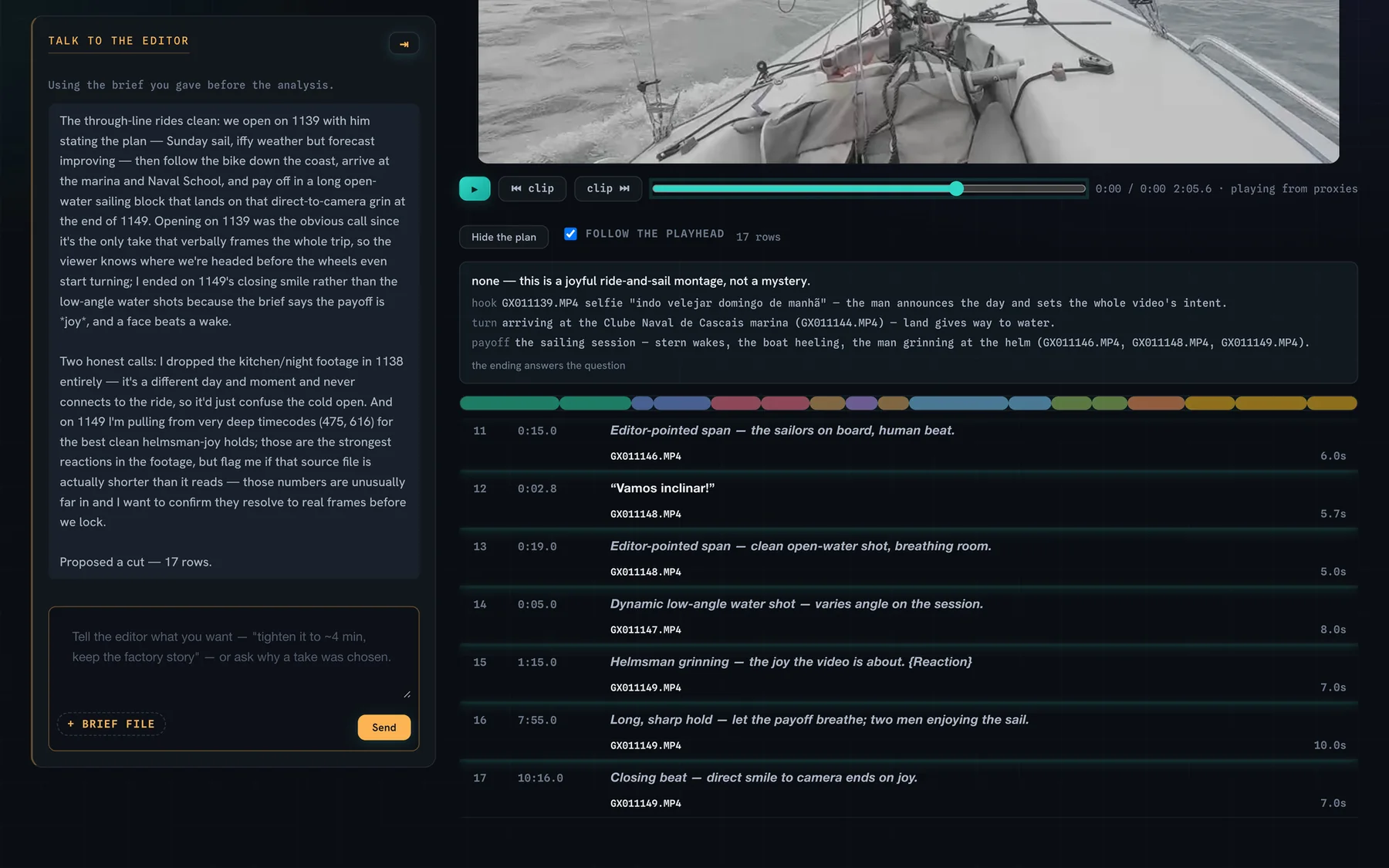
- Claude builds the cut and explains each choice. You get the edit written out: every clip, in order, with the reason it's there. Change anything by asking.
- You get a finished video. A video file ready to post, with the sound levelled for online platforms. If you work with an editor, you can hand over a Final Cut Pro timeline instead.
"I like how it actually looks at the clips and chooses the best parts, not just the middle section of a clip."Adam Mann · Cutler beta tester
What changes
What changes when Claude does the edit.
You give direction the way you would to a human editor, without learning software. Claude does the cutting.
No black box. Each clip has a written reason, so you can disagree with it.
A good sentence with your eyes closed doesn't make the cut by default.
Built for people who talk on camera, not only for b-roll montages.
Cutler uses your original footage. No copies filling your drive.
Send your editor a Final Cut Pro timeline they can open and refine.
Your raw recording
The finished video
Illustration of a lesson edit
Is it for you?
Who Cutler is for
Cutler is for you if you
- Record lessons, talks, coaching sessions, webinars or interviews regularly
- Know what a good video looks like but don't want to learn editing software
- Already pay for Claude or ChatGPT
- Work on a Mac with Apple Silicon
- Sometimes work with an editor and want to give them a head start
It's not for you if you
- Use Windows. Cutler is Mac only.
- Don't have, and don't want, a Claude or ChatGPT plan
- Need animated captions or effects-heavy edits
- Mainly want dozens of short clips cut from one long video
Mostly cutting trips, weddings or events down to a highlight reel? See AI highlight reels and recaps.
Privacy
Your footage stays on your Mac.
- Your video files, where they already are
- Transcription, with Whisper
- Cutler's notes on every shot
- Your instructions
- The transcript and Cutler's notes
- Still frames, when it needs to look
Never your video files.
- Transcription happens on your Mac. Nothing is uploaded for it.
- Your original files are never moved or copied. Cutler uses them where they are.
- The thinking runs on your own account. Cutler connects to the plan you already use. You don't hand us an API key.
What you need
You need
- A Mac with Apple Silicon, macOS 14 or later
- A Claude or ChatGPT plan. The Claude app works, no terminal.
- Your video files: camera, phone or screen recordings
You don't need
- Editing experience
- An API key. It's only an advanced option.
- Final Cut Pro, unless you want to hand the edit to an editor
Pricing
Pay once. Own it.
Founder licence
- The full app
- Finished video export, and a Final Cut Pro timeline for your editor
- 12 months of updates included
- Try it for 7 days before you buy
Founder €25 for the first 100 licences, Early €59 up to licence 300, then Standard €99. Running Cutler uses your existing Claude or ChatGPT plan.
Free for 7 days
Try Cutler on your own recordings.
The full app, no card. Leave your email and the licence key and download link arrive in a minute.
Questions
Straight answers
Do I need to know how to edit?
No. You describe what you want in plain words. Claude makes the cuts and explains each one, and you ask for changes the same way.
What do I need to run it?
A Mac with Apple Silicon running macOS 14 or later, and a Claude or ChatGPT plan. The Claude app works with no terminal.
Does my footage get uploaded?
No. Your video files stay on your Mac and transcription runs on your Mac. Claude or ChatGPT receives the transcript, Cutler's notes on each shot and, when it needs to look, still frames. Never the video files.
What does it cost to run?
The licence is €25 once. Cutler then works through the Claude or ChatGPT plan you already pay for. Cutler adds nothing to what your provider charges.
What do I get at the end?
A finished video file with the sound levelled for online platforms. If someone else will finish it, a Final Cut Pro timeline instead.
Can my editor take over?
Yes. Cutler exports an editable Final Cut Pro timeline that uses your original files. Premiere Pro and DaVinci Resolve export is in beta.
Does it work for interviews and two-camera recordings?
Yes. It handles talking heads, interviews and two-camera shoots, and lines up your cameras and a separate microphone by sound.
How does it decide what to keep?
It reads what you said and looks at the actual picture, flags weak shots, then writes the edit with a reason for every clip. You can see and change all of it.
Is there a Windows version?
No. Cutler is Mac only.
Who makes Cutler?
Erik Lindgren, a video editor for more than 20 years, based in Cascais, Portugal. He built Cutler with Claude Code.
Your next video is already recorded.
Drop it into Cutler, tell Claude what you want, and see the cut with every choice explained.
Mac with Apple Silicon · Needs a Claude or ChatGPT plan · €25 founder licence
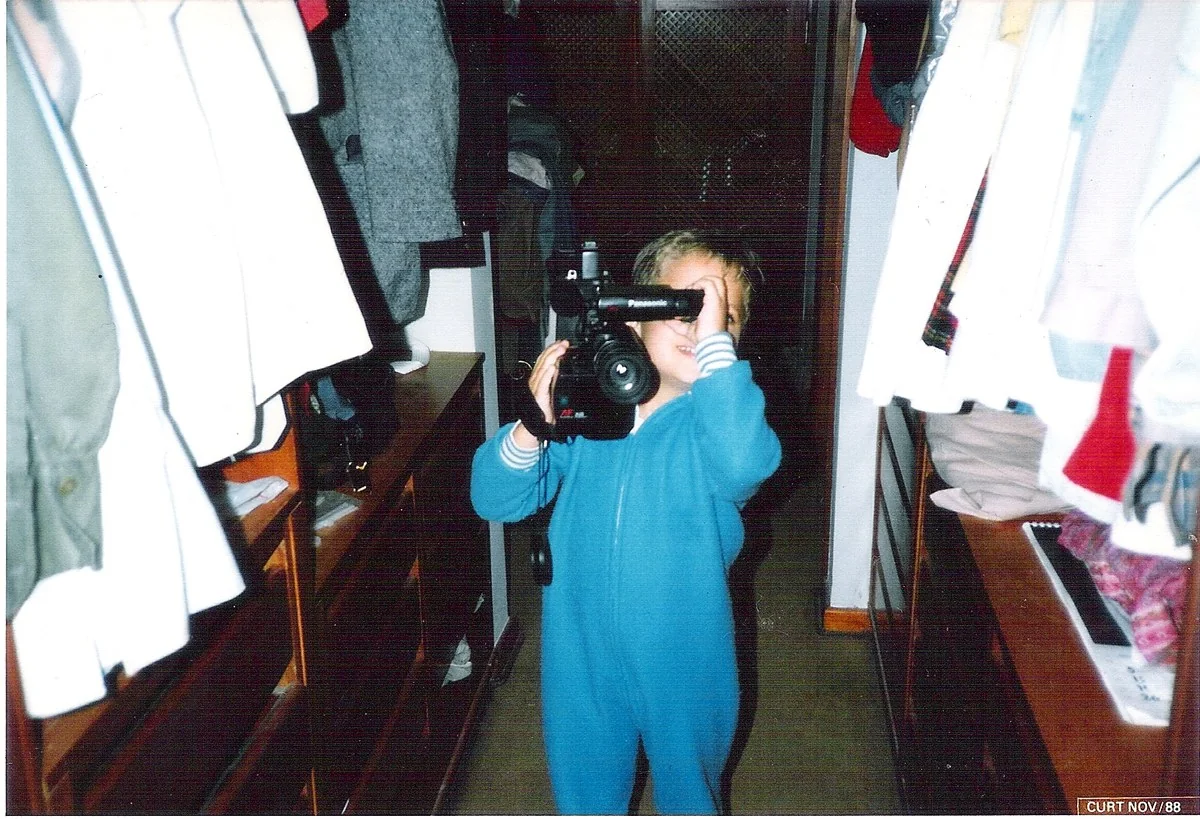
Built by Erik Lindgren, a video editor for more than 20 years, in Cascais, Portugal. That's him in 1988.