Cutler Request early access

The editing room for your AI · Claude & ChatGPT · macOS

Turn your AI into a video editor.

Cutler is the room your AI edits in — Claude or ChatGPT, the assistant you already use. It syncs your cameras and mics, sees what's in every clip, and gives the model real editing tools: cuts, music, graphics, a timeline it can actually look at. You brief it; it cuts the first 90% in minutes; you open a real Final Cut project and finish — or let it run the whole way to a finished cut.

Works in Claude & ChatGPTApple SiliconTranscription on your MacYour own key or fully localCost shown before it spends
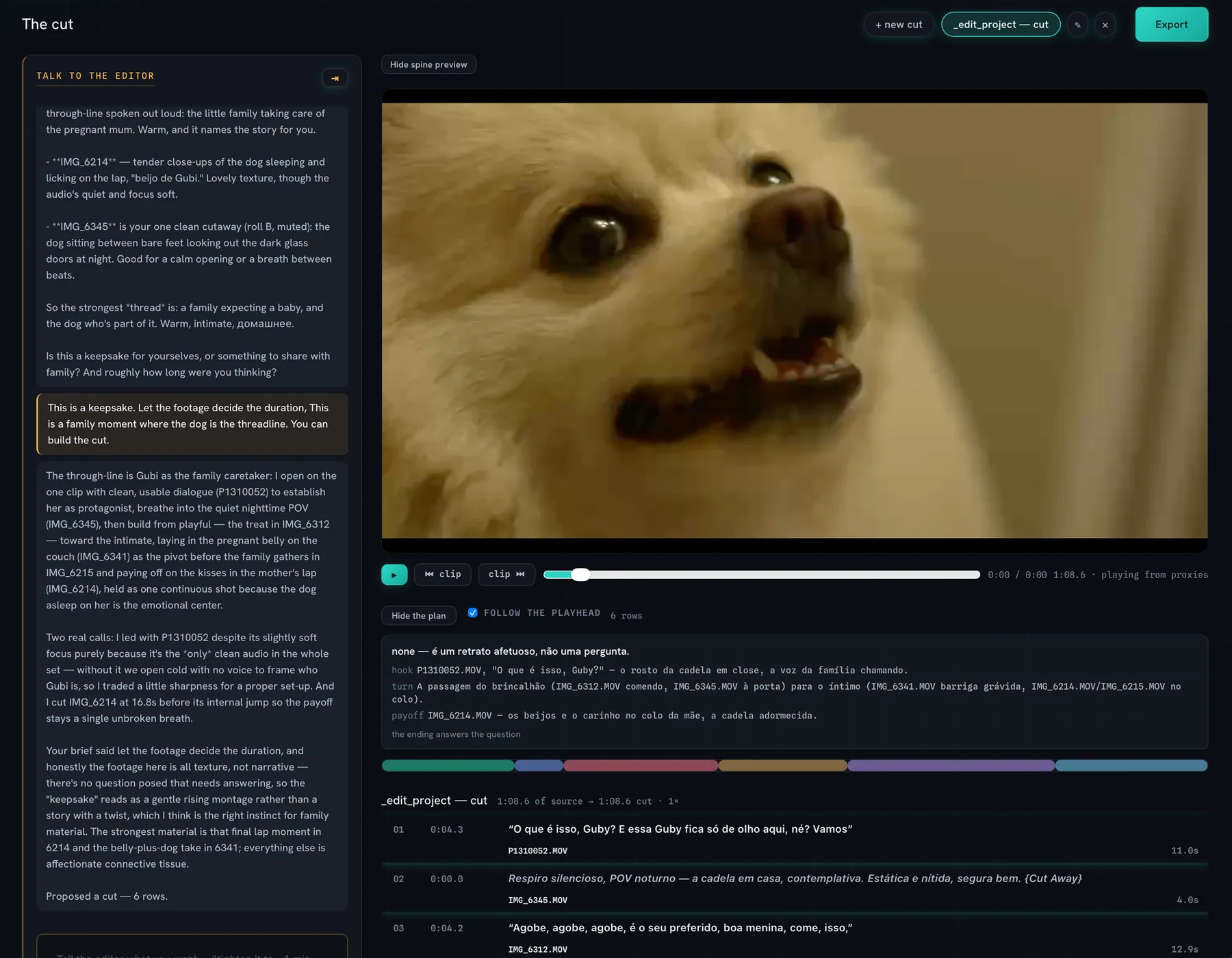
The Cutler cut page: the editor conversation on the left; the video preview, the story plan, a colour ribbon of shots and the proposed rows on the right.
The cut page · the conversation, the preview, the plan, every row with its reason

Works where your AI works

Runs inside the assistant you already use.

You don’t learn a new app. You talk to Claude or ChatGPT, Cutler gives it the eyes, the hands and the timeline to actually cut — and its panel shows the work as it happens. Same tools, same room, whichever one you open.

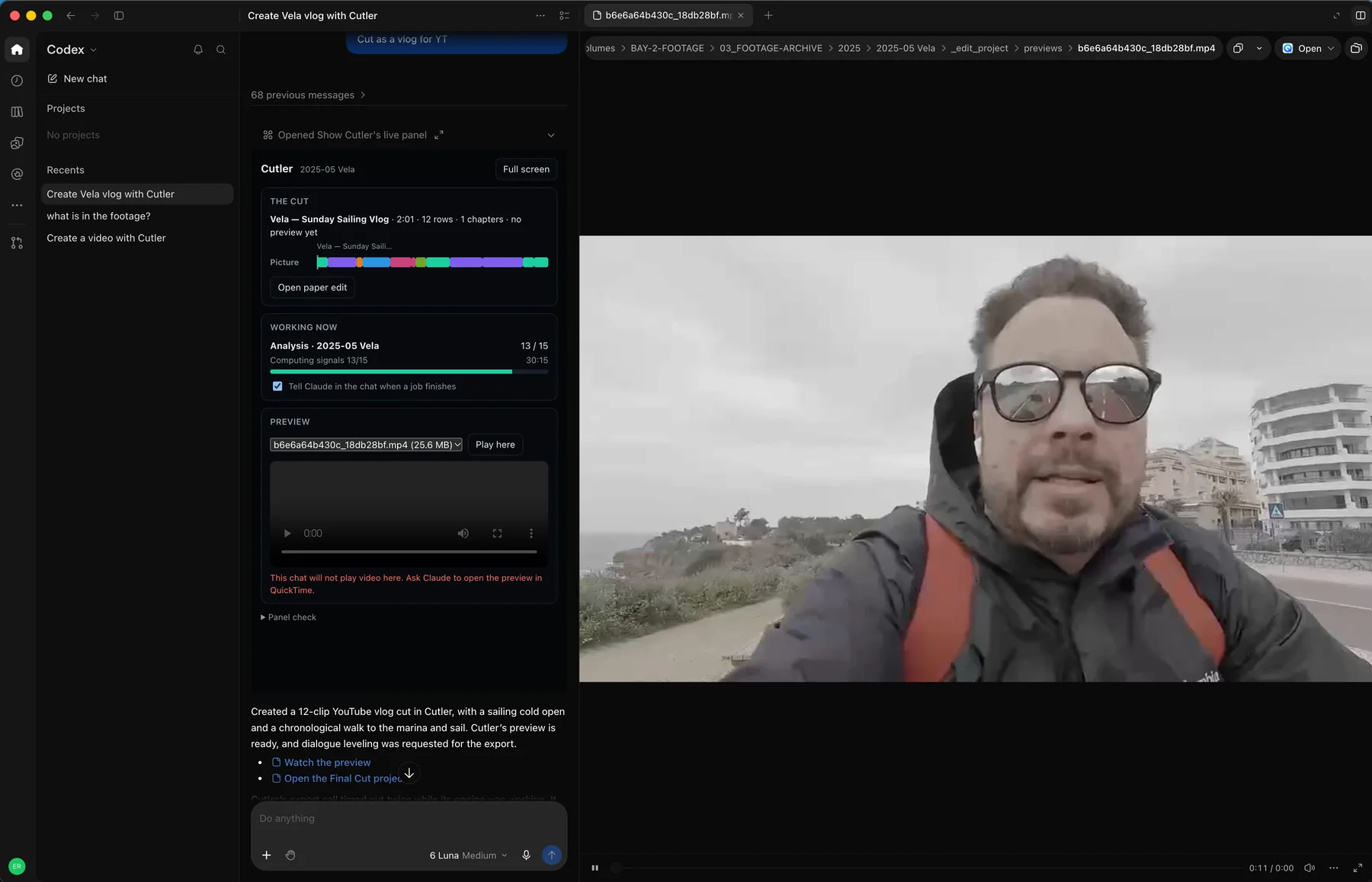
Cutler running inside ChatGPT: a Create-a-vlog chat on the left with Cutler’s live panel — the cut, a colour ribbon, analysis progress and a rendered preview — beside a full-frame preview of the footage.
In ChatGPT · Cutler’s live panel and a rendered preview, driven by your ChatGPT account
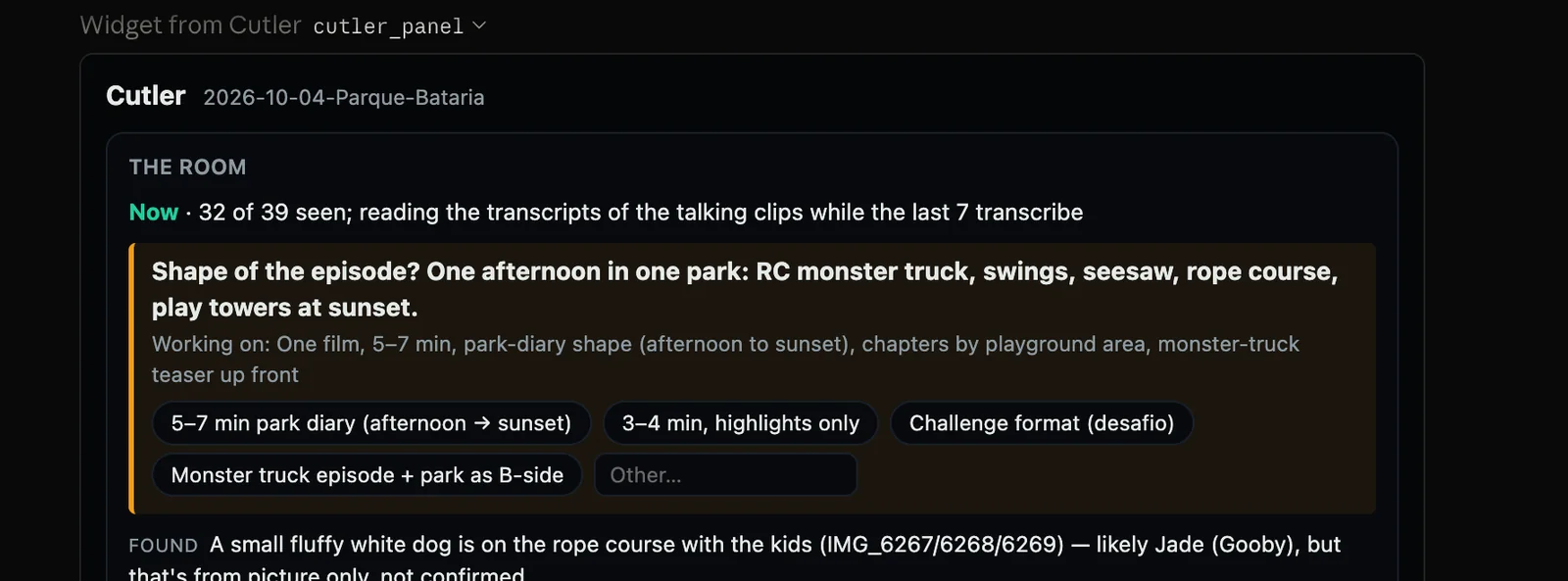
Cutler’s panel inside the Claude app: THE ROOM, with the shape of the episode proposed and options to choose from, as Claude reads the footage.
In the Claude app · Cutler’s panel shows the reasoning and the work as it happens

In Claude

Claude Code, or the Claude app.

Claude Code for finished videos and Final Cut timelines, working with the files on your Mac — or the Claude app, no terminal, where Cutler’s panel shows the work as it happens. Uses your Claude plan.

In ChatGPT · Beta

In Cutler, with ChatGPT.

Talk to your AI inside Cutler’s window. It edits with Cutler’s tools, and you sign in with your own ChatGPT account. Uses your ChatGPT plan.

The proposal

Refine

It names the weak spots before it cuts.

Dim, soft, repetitive footage gets called out in plain language, and it asks you one question before it builds the cut.

The job

It does the assistant's work.
You keep the editor's.

Before anyone cuts, someone has to sync the cameras, log the rushes, find the usable takes and lay out the selects. Cutler does that part, proposes a first cut, and stops where taste begins.

Cutler handles

  • Ingest and catalogue
  • Sound sync and multicam
  • Logging what is said and what is on screen
  • Flagging soft, dark and shaky takes
  • Stringouts and selects
  • A first cut, with a reason for every clip

You keep

  • The cut itself
  • Every judgement call it flags for you
  • Timing that comes from feel, not data
  • The final say on every clip

The rule it works by: if a choice can be justified from the footage, your brief and your editing doctrine, Cutler makes it. If it needs taste the data can't supply, it hands it back to you.

How it works

From folder to Final Cut, in four steps.

AnalyzeBriefRefineDeliver

Drop the folder. It watches and listens.

Raw camera cards are welcome: unsynced multicam, separate audio, all of it. Cutler transcribes on your Mac, syncs by waveform, and describes what is in every shot, with tags and quality flags such as soft focus, blinks and motion blur.

While it works, you can circle the moments you care about and leave notes for the edit.
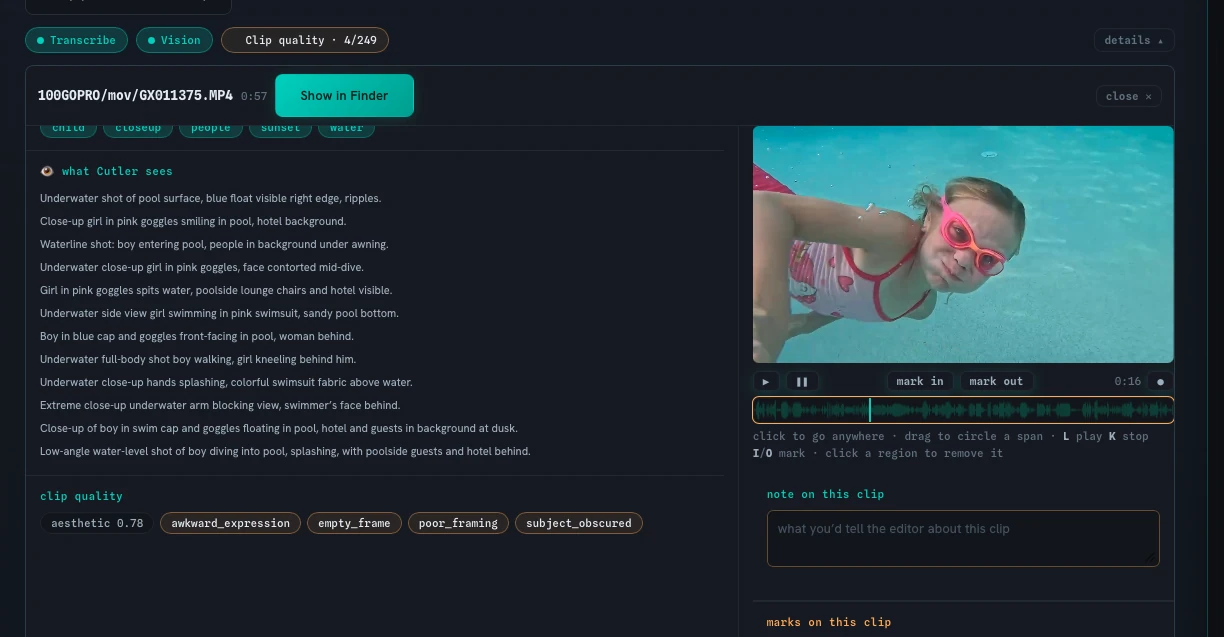
A GoPro pool clip open in Analyze: what Cutler sees, line by line, next to the frame of a girl in pink goggles underwater, with quality flags such as awkward expression, empty frame, poor framing and subject obscured.
What Cutler sees · shot by shot, with quality flags
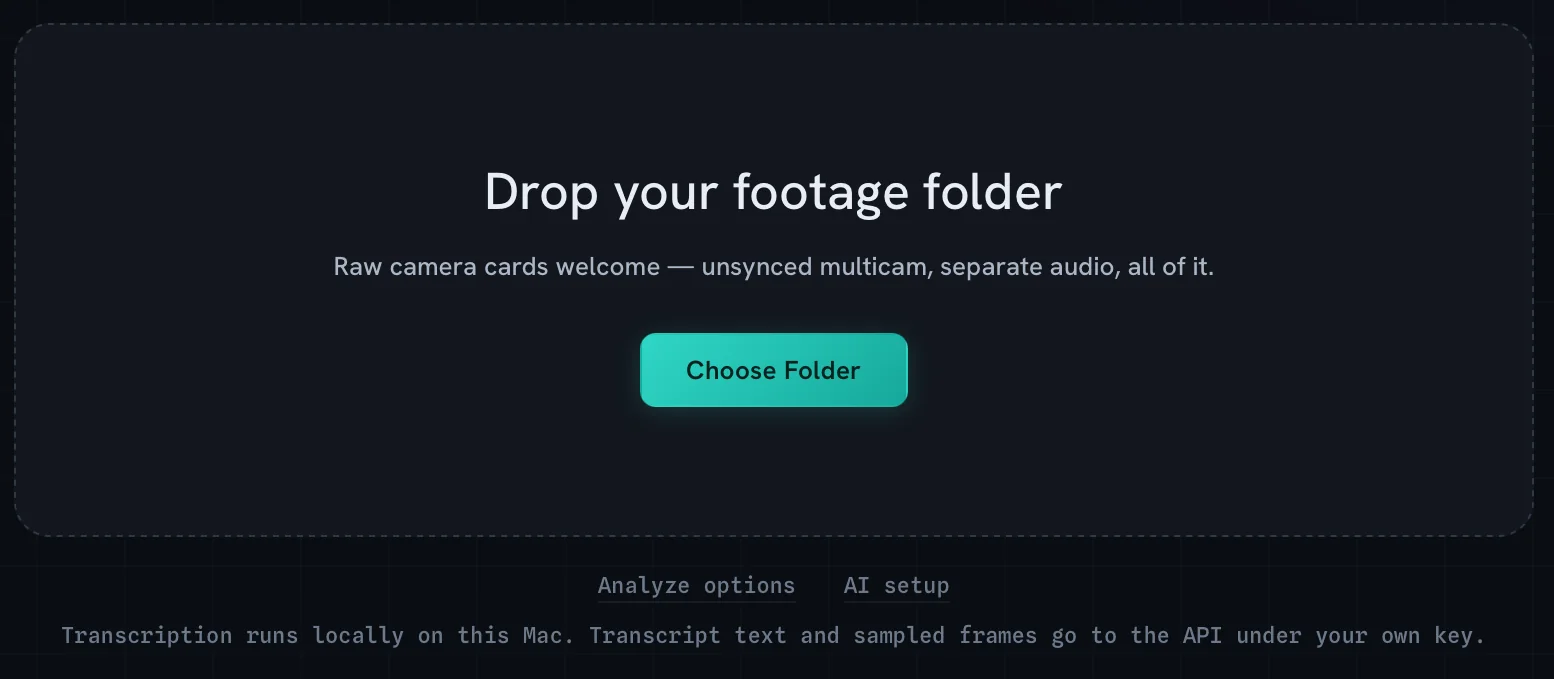
Drop your footage folder: raw camera cards welcome, unsynced multicam, separate audio.
Drop the folder
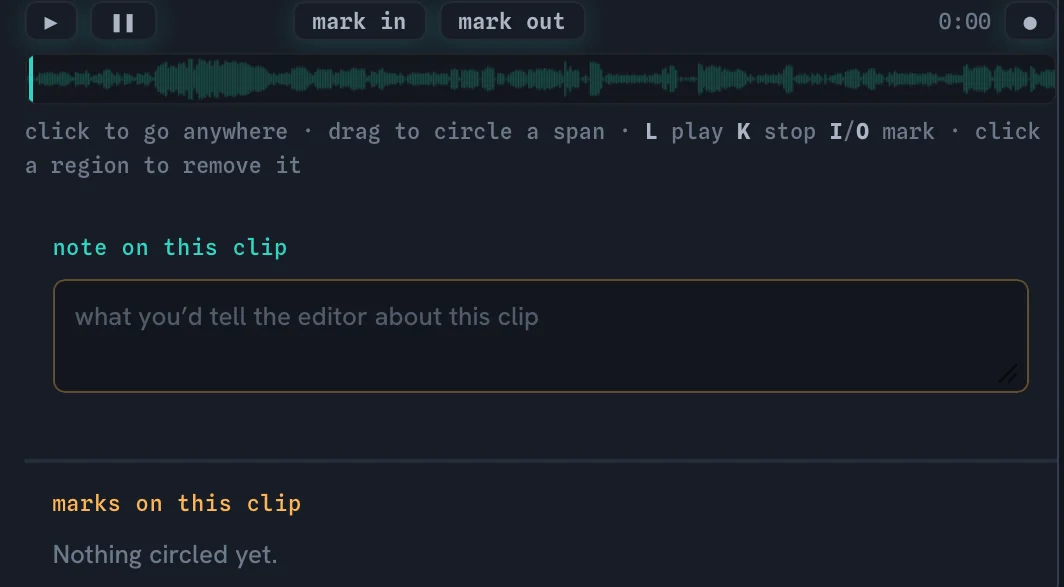
Marking tools under the player: mark in, mark out, drag on the waveform to circle a span, and a note for the editor.
Circle a span, leave a note
AnalyzeBriefRefineDeliver

Tell it what the film is for. Or ask it first.

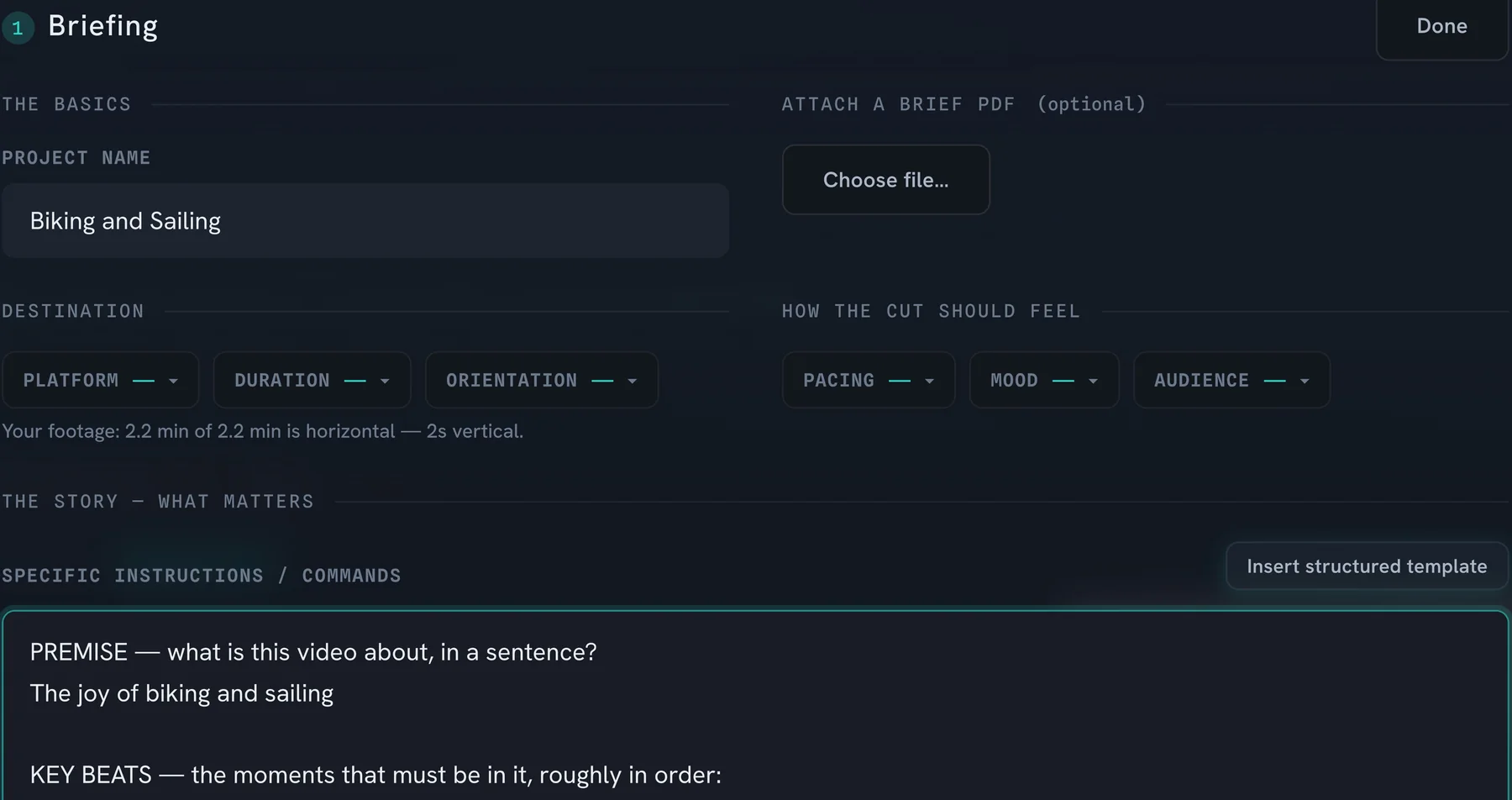
Write the brief in plain language: the premise, the beats that must be in, the payoff, the platform. Next to the destination, Cutler shows you what the footage is, such as how much of it is horizontal.

No brief yet? Ask what the strongest material is. It answers from what it saw and heard, including what it would keep short and why.

Your editing doctrine is written once and read before every cut: your pacing, your shot grammar, your house style. Switch it off when the brief should speak alone.

The Briefing panel: project name, destination and feel, a note that the footage is 2.2 minutes and horizontal, and the start of a structured brief with premise and key beats.
The brief · premise, beats, payoff
AnalyzeBriefRefineDeliver

Read the cut. Argue with it.

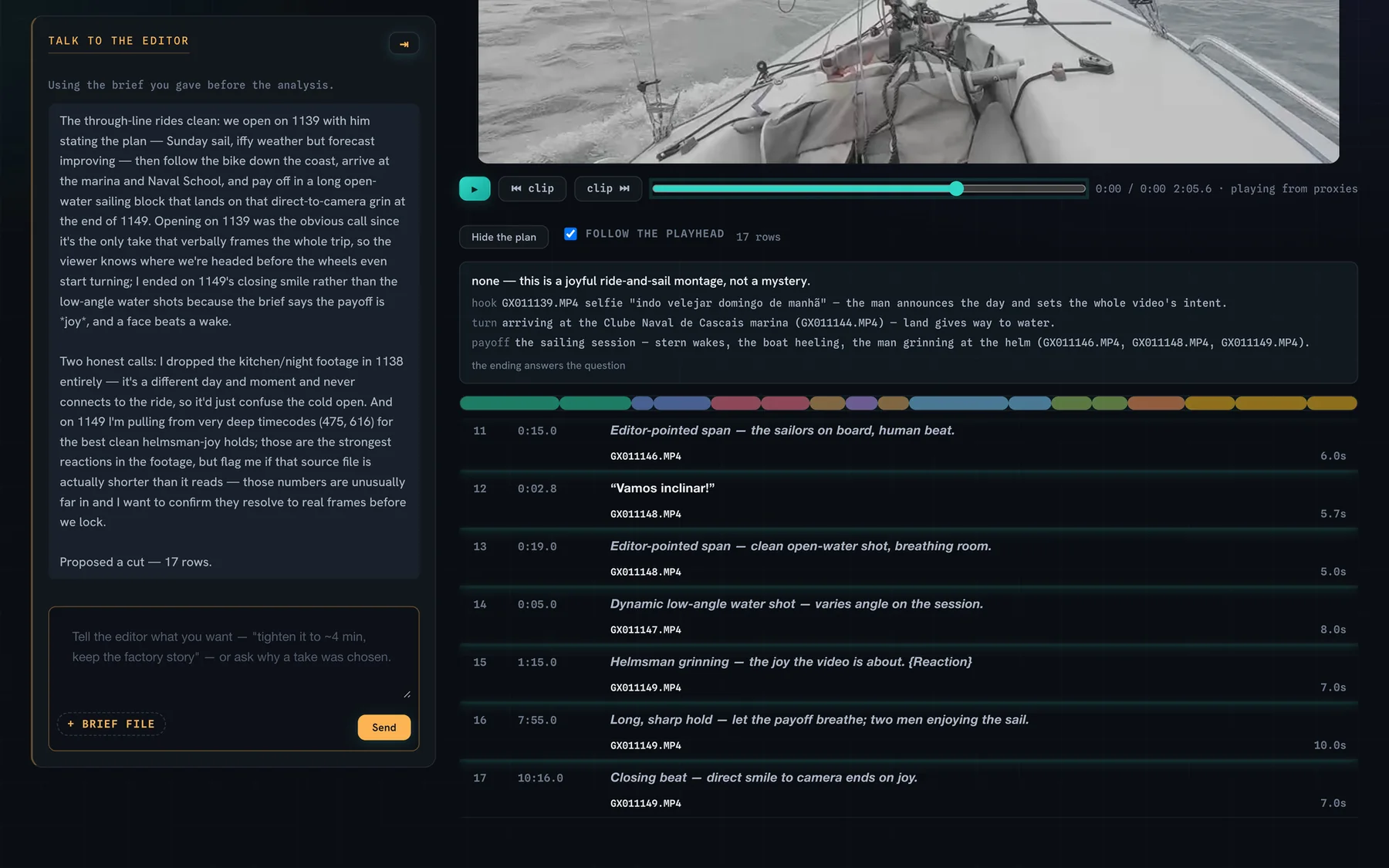
The proposal arrives as a paper edit: every row with its source, its timecodes and the reason it is there. A plan names the hook, the turn and the payoff, and a ribbon shows every shot, with width as time.

It plays inside Cutler before you export. Say "the payoff drags" and it changes only what you asked, leaving the rest intact.

A proposed cut for a sailing trip: the editor explains its choices on the left; the plan with hook, turn and payoff, the colour ribbon and the rows with reasons on the right.
The proposal · a reason on every row
AnalyzeBriefRefineDeliver

Open a project, not a render.

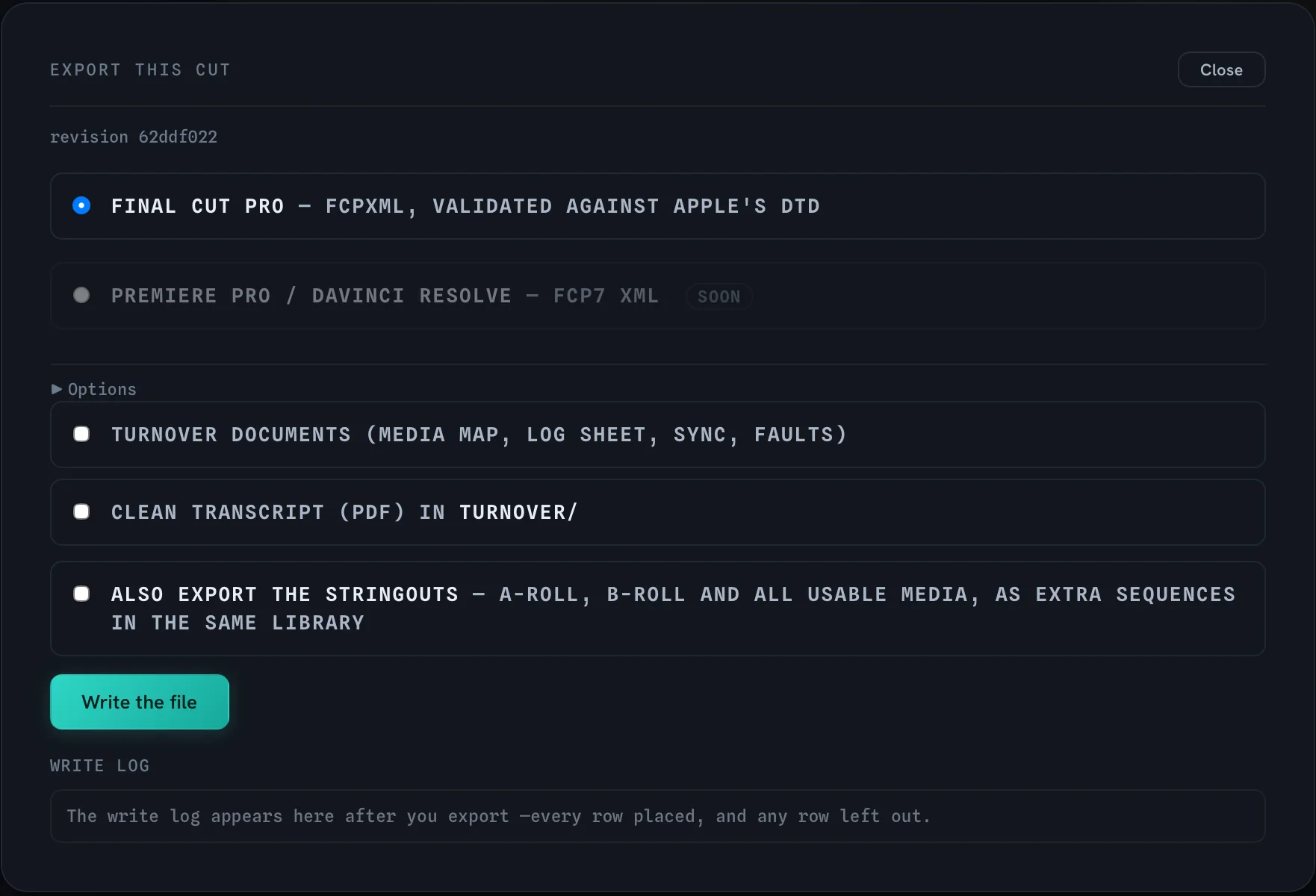
Cutler writes an FCPXML file and validates it against Apple's own DTD before you see it. Roles, keywords and multicam come with it, and every clip points at your original media: nothing re-encoded, nothing generated.

Add turnover documents, a clean transcript and the stringouts as extra sequences. A write log lists every row placed and any row left out.

Final Cut Pro today. Premiere Pro and DaVinci Resolve are in progress.

Export window: Final Cut Pro FCPXML validated against Apple's DTD, with options for turnover documents, a clean transcript and stringouts.
Export · validated, logged

Talk to the editor

Brief

Ask what is strongest. It answers from the footage.

The thread it found, the best-looking material, and a caution: the dinner scene is badly underexposed. Use it in short bursts.

Sync and multicam

Synced by sound.

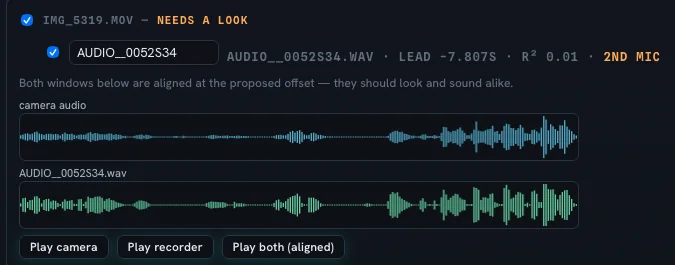
Cutler syncs multiple sources by waveform. You rank the sources, and when Cutler has doubts, it asks you to confirm.

Camera audio and recorder audio aligned at the proposed offset, marked as needing a look, with a second-mic flag.
The ear test · camera and recorder, aligned

What leaves your Mac

What leaves your Mac.
In plain terms.

Client rushes on a cloud you didn't pick is a conversation no editor wants to have. So Cutler shows you what runs where, and what it costs, before anything runs.

Transcription

Local, always.

Whisper runs on your Mac. There is no cloud option. Your audio never leaves the machine.

Vision

Your choice.

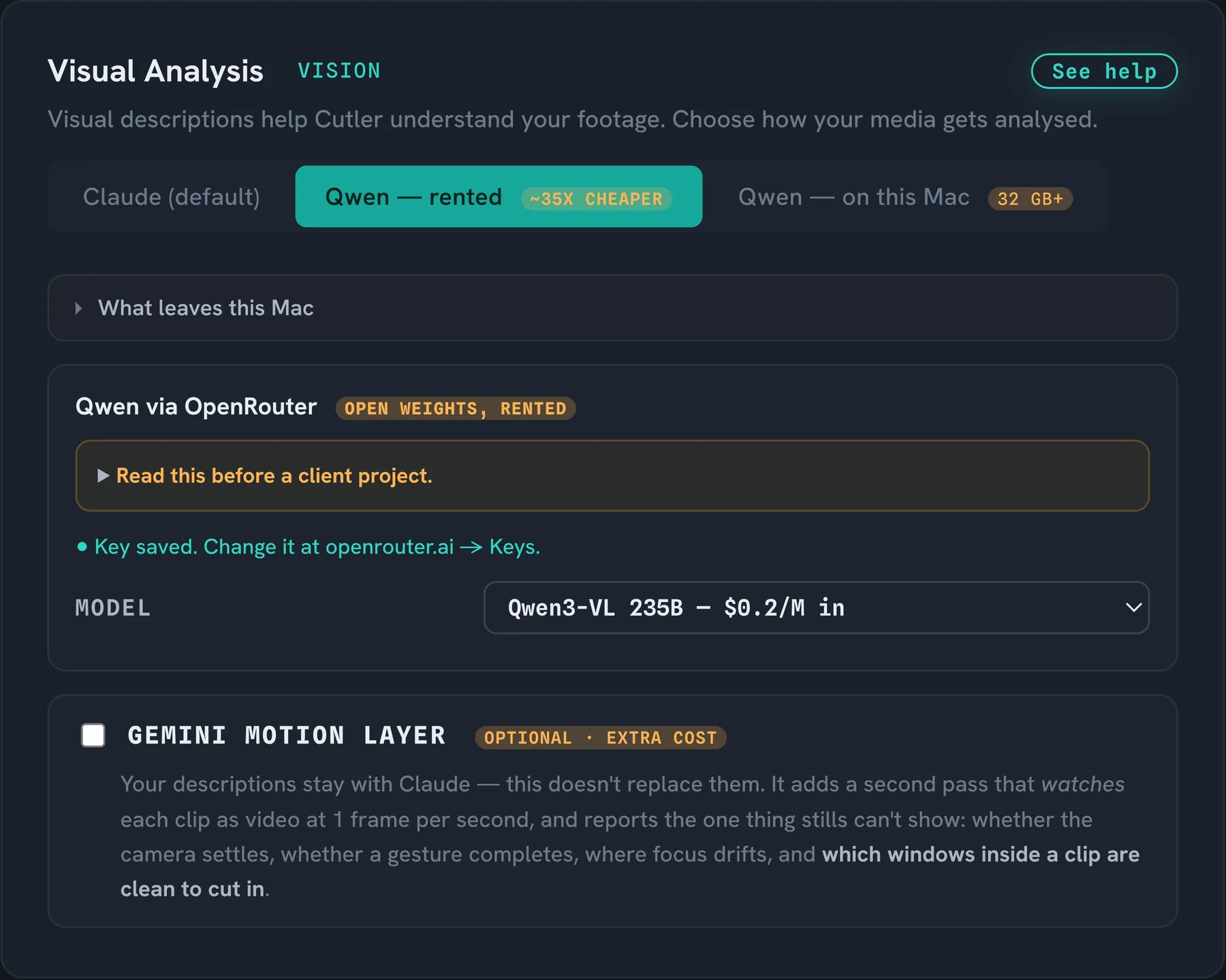
Claude, Qwen rented through OpenRouter at around 35× less, or Qwen on your own Mac with 32 GB of memory or more. Cutler spells out what leaves the Mac, and what to read before a client project.

Reasoning

Claude, on your key.

The editorial decisions run on Claude. Local models haven't scored well on the benchmarks yet.

Cost

Shown before it spends.

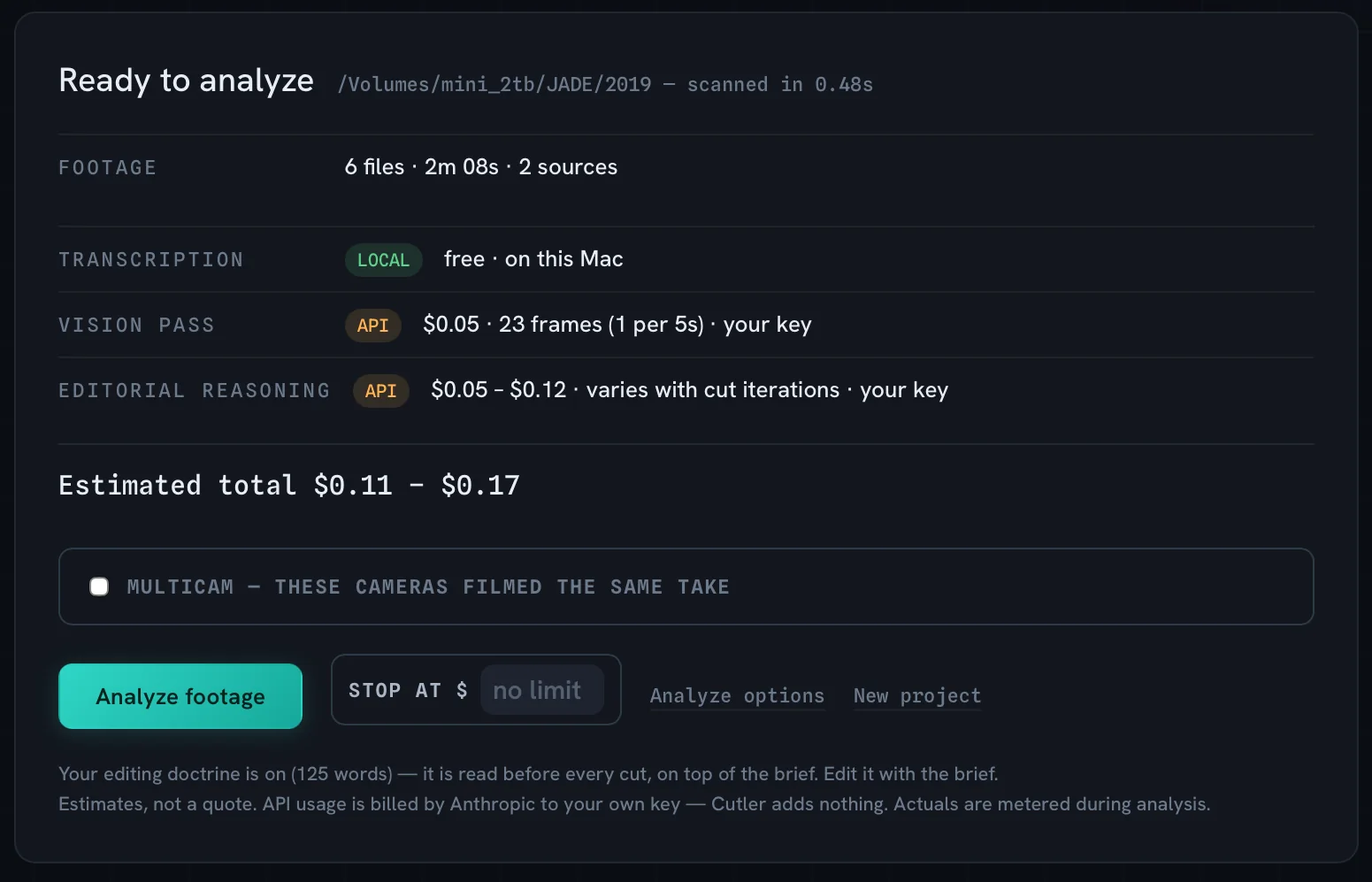
An estimate before analysis, a hard cap if you want one, and the actual spend as it runs. Billed to your own key. Cutler adds nothing on top.

Ready to analyze: 6 files, 2 minutes of footage. Transcription free and local, vision pass $0.05, editorial reasoning $0.05 to $0.12. Estimated total $0.11 to $0.17, with a stop-at spending cap.
A 2-minute project · $0.11 to $0.17, before it starts
AI Setup, Visual Analysis: Claude, Qwen rented about 35 times cheaper, or Qwen on this Mac; a panel explaining what leaves this Mac; a warning to read before a client project.
AI setup · choose who looks at your footage

Final Cut Pro

Deliver

It arrives inside Final Cut, logged.

Keywords for subjects, light and defects. Selects, circled moments and unused takes. The cut on the timeline, every clip pointing at your original media.

At a glance

Everything the first cut needs.
Nothing it doesn't.

Local transcription

Timecoded, multilingual, offline, on your Mac.

Waveform sync

Aligns by sound. Works without timecode.

Native multicam

Opens as multicam, angles where you expect them.

Selects with reasons

A paper edit you can read and disagree with.

Cost before spend

An estimate first, a cap if you want one.

A project, not a render

FCPXML with roles, keywords, original media.

A real Mac app

Built for Apple Silicon. Not a browser tab.

No lock-in

Stop using it tomorrow and you lose nothing.

Runs in Claude & ChatGPT

Same tools, in the assistant you already use.

The first 90%, in minutes

It cuts the first pass; you finish, or let it run the whole way.

From the beta

“I like how it actually looks at the clips and chooses the best parts, not just the middle section of a clip.”Adam Mann · Cutler beta tester

Become an early adopter.

Cutler is opening to early adopters. If you cut real projects in Final Cut Pro and want the assistant's work done before you sit down, request access and I'll get back to you.

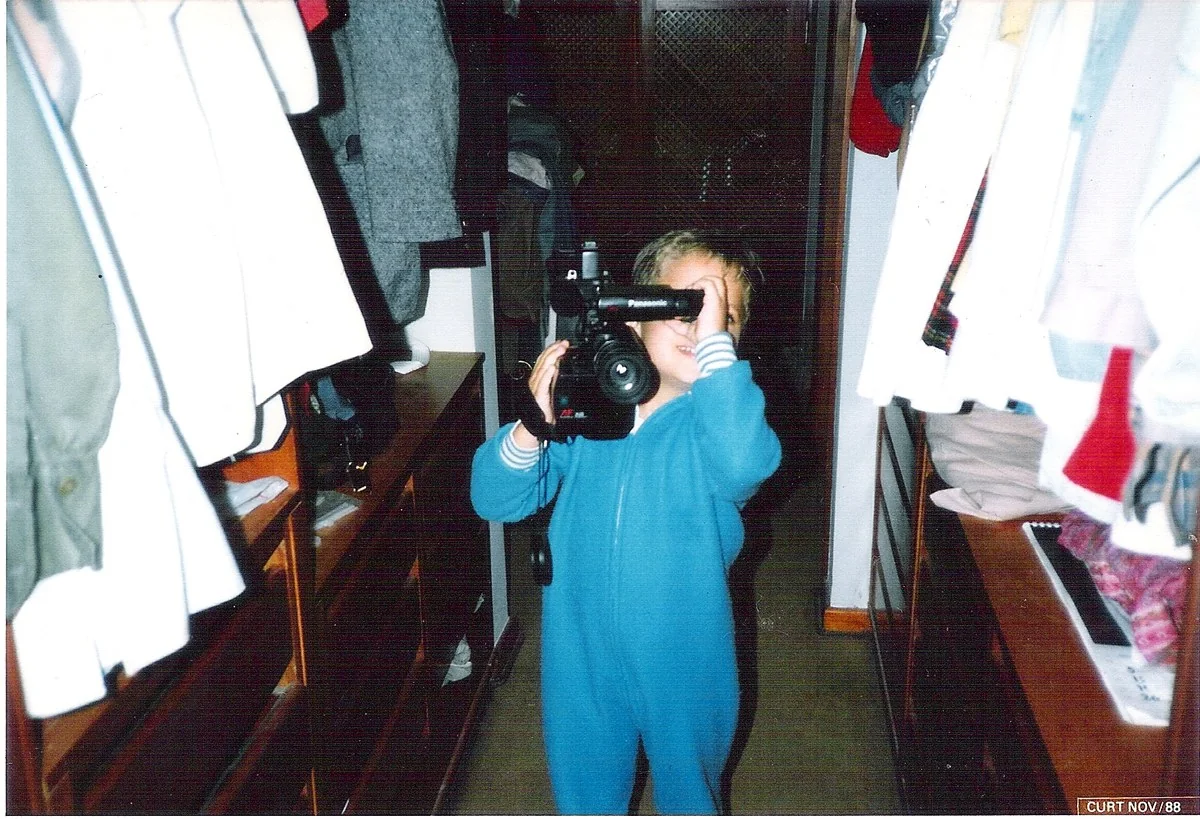
Erik as a child in 1988, filming with a camcorder.
November 1988

Built by an editor

Made by someone who cuts for a living.

I'm Erik Lindgren. I've shot and edited for more than twenty years: documentaries, corporate work, television. Cutler started in May 2026 as a way through more than a decade of footage I had never edited.