Cutler / Edit video with Claude Code
Edit video with Claude Code.
Claude can make editing decisions. On its own it can't see your footage, sync your cameras or build a timeline an editor would open. Cutler is that missing part. It runs on your Mac and gives Claude Code eyes, hands and a timeline.
What Claude Code can't do alone
Point Claude Code at a folder of camera files and it sees file names. It doesn't know who is speaking, which take is soft, or how the camera lines up with the separate audio recorder. It can try to write a Final Cut file from scratch, but that format is unforgiving: one clashing ID and the import fails.
Cutler does that groundwork the same correct way every time, so Claude spends the session on the edit instead of rebuilding an exporter.
What Cutler gives Claude
Eyes
It knows what is in every clip
Transcription on your Mac, a description of every shot, and flags for soft focus, blinks, motion blur and dark takes.
Sync
Cameras and mics, aligned
Sources lined up by waveform, no timecode needed. When it isn't sure, it asks you.
Hands
Real editing tools
Frame-accurate cuts with a timecode and a reason on every row, music, graphics and layouts.
A timeline it can look at
It checks its own work
A paper edit, a ribbon of every shot and a preview it can watch before handing anything over.
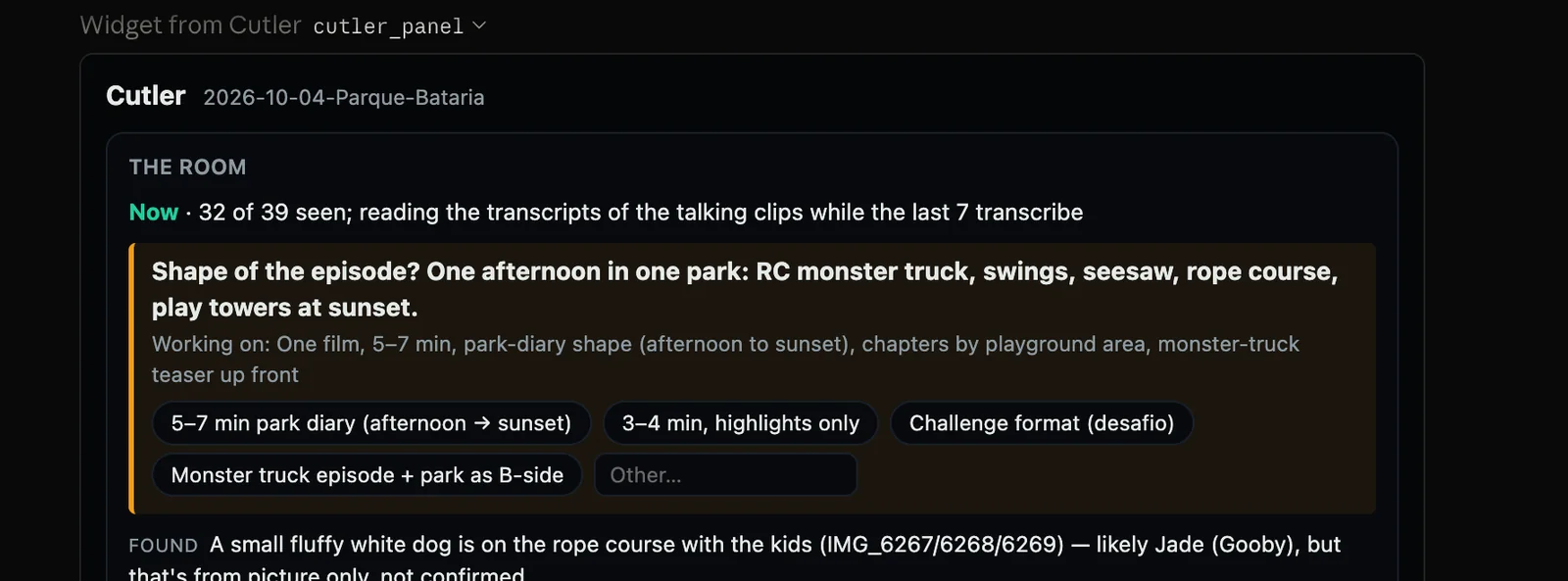
How a session goes
- Open Cutler and choose Claude Code as the way you edit. It uses your Claude plan; no API key needed.
- Point Claude at a folder from a real job. Raw camera cards, separate audio, unsynced multicam: all fine.
- Tell it what the video is for. The conversation is the brief. Claude asks what it needs while Cutler analyses the footage.
- Read the proposal. Every clip comes with its source, its timecodes and the reason it is there. Say "the payoff drags" and it changes only that.
- Open the result in Final Cut Pro, or ask for a rendered preview with music and graphics.
What you need
- A Mac with Apple Silicon running macOS 14 or later.
- Claude Code on your own Claude plan. The Claude app works too, with no terminal; Cutler's panel shows the work there.
- Final Cut Pro to open the timeline. Premiere Pro and DaVinci Resolve export are in progress.
Questions
Does Cutler work with ChatGPT?
Yes, in beta: you sign in with your own ChatGPT account and edit inside Cutler's window. Claude Code is the smoothest path today.
Does it generate footage?
No. It cuts the footage you shot. Every clip in the timeline points at your original media.
Who decides the edit?
You do. Claude proposes the cut and explains every choice; you give the brief, argue with it, and finish it in Final Cut Pro.
Keep reading
Cutler · macOS · Apple Silicon
Give Claude eyes, hands and a timeline.
One-time purchase, $25 for the first 100 founder licences. Your AI plan stays yours.