Cutler / AI editing for Final Cut Pro
An AI cut that opens in Final Cut Pro.
A rendered video is the end of the road for an editor. Cutler delivers a project instead: your AI cuts the footage, and Final Cut Pro opens a timeline you can keep editing, with every clip pointing at your original media.
What arrives in Final Cut
- The cut on the timeline, every clip linked to your original camera files. Nothing re-encoded, nothing generated.
- Roles and keywords for subjects, light and defects, so the browser is already logged.
- Native multicam, with angles where you expect them.
- Selects, circled moments and unused takes, so nothing the AI skipped is lost.
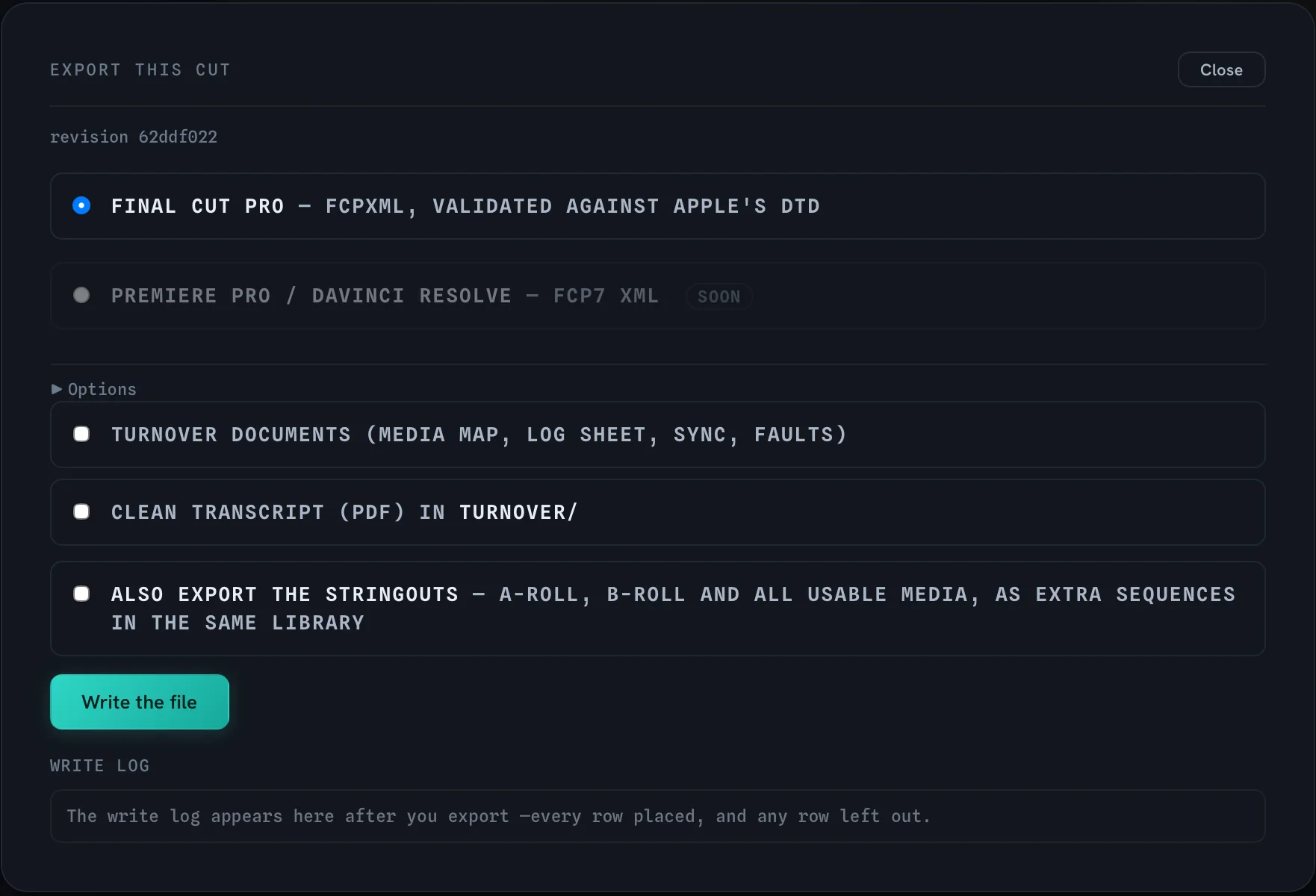
- Extra sequences if you want them: stringouts, a clean transcript and turnover documents.
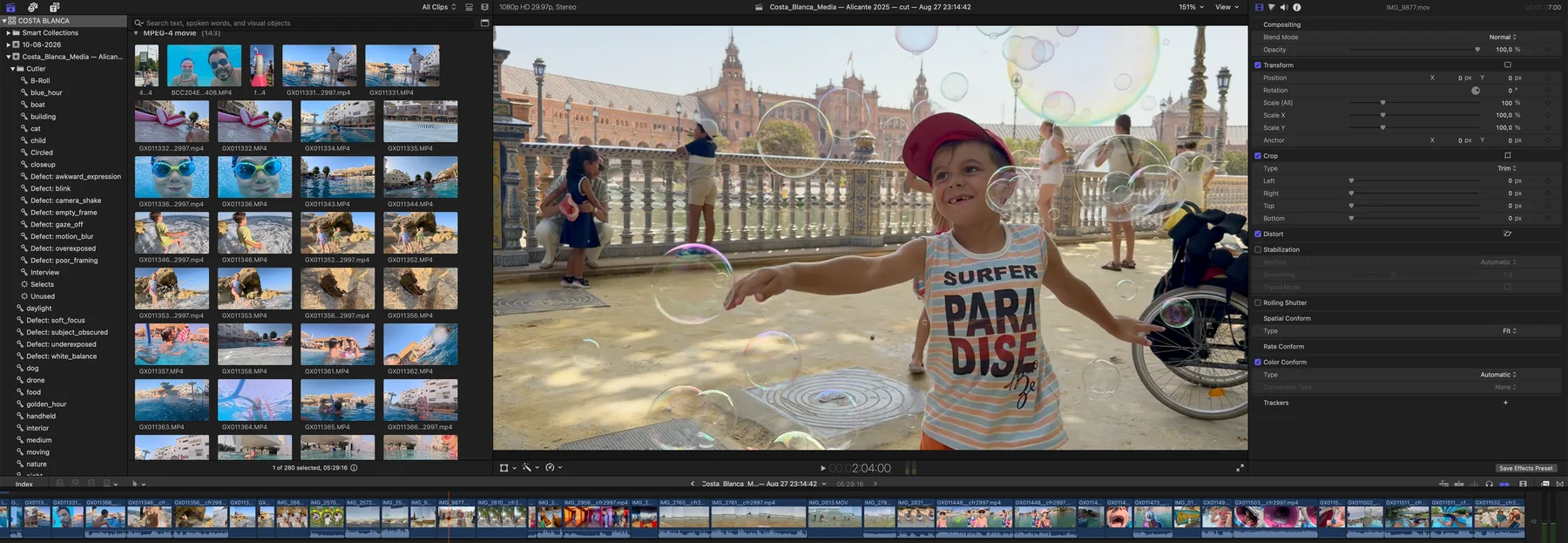
Checked before you see it
Cutler writes the FCPXML and validates it against Apple's own DTD before handing it over. A write log lists every row it placed and any row it left out, so a missing shot is a line you can read, not a surprise.
Claude cuts. You finish.
The proposal arrives as a paper edit: every row with its source, its timecodes and the reason it is there. Disagree in plain language and it changes only what you asked. Timing that comes from feel, and every judgement call it flags, stay yours.
Your editing doctrine, your pacing, shot grammar and house style, is written once and read before every cut.
Other editors
Final Cut Pro is supported today. Premiere Pro and DaVinci Resolve export are in progress and included in every licence when they ship.
Keep reading
Cutler · macOS · Apple Silicon
Give Claude eyes, hands and a timeline.
One-time purchase, $25 for the first 100 founder licences. Your AI plan stays yours.