Cutler / AI footage logging
AI footage logging
AI footage logging: every clip described, every fault flagged.
Logging is the job nobody wants and every edit needs. Cutler transcribes, describes and checks every clip in a folder, then hands you a Final Cut Pro project that's already organised, so you search for what you remember instead of scrubbing for it.
Updated 21 November 2026 · by Erik Lindgren, editor and maker of Cutler
What gets logged
What is said
Transcripts
Timecoded and sentence by sentence, with retakes and false starts marked, transcribed on your Mac.
What is on screen
Shot descriptions
What's in every shot and what's happening, so footage with no dialogue counts too. Photos are logged as well.
What went wrong
Quality flags
Soft focus, blinks, motion blur, dark or shaky takes and awkward framing, flagged before you meet them on the timeline.
How it arrives in Final Cut
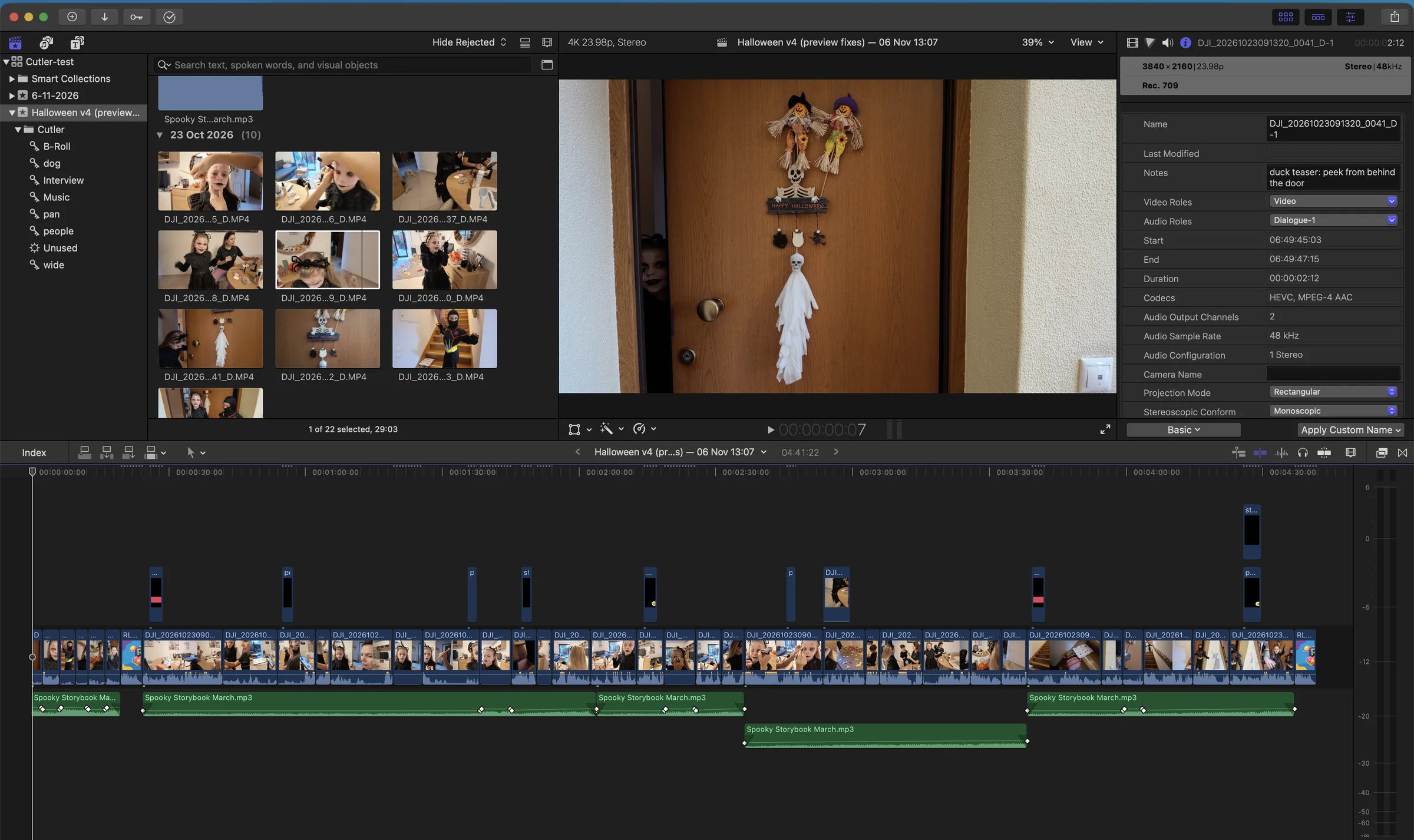
The project comes in with keywords for subjects, light and faults, roles for your audio, and every clip linked to your original camera files. Phone clips that turned sideways mid-take are found from the phone's own orientation data and can be marked Rejected.
Big shoots
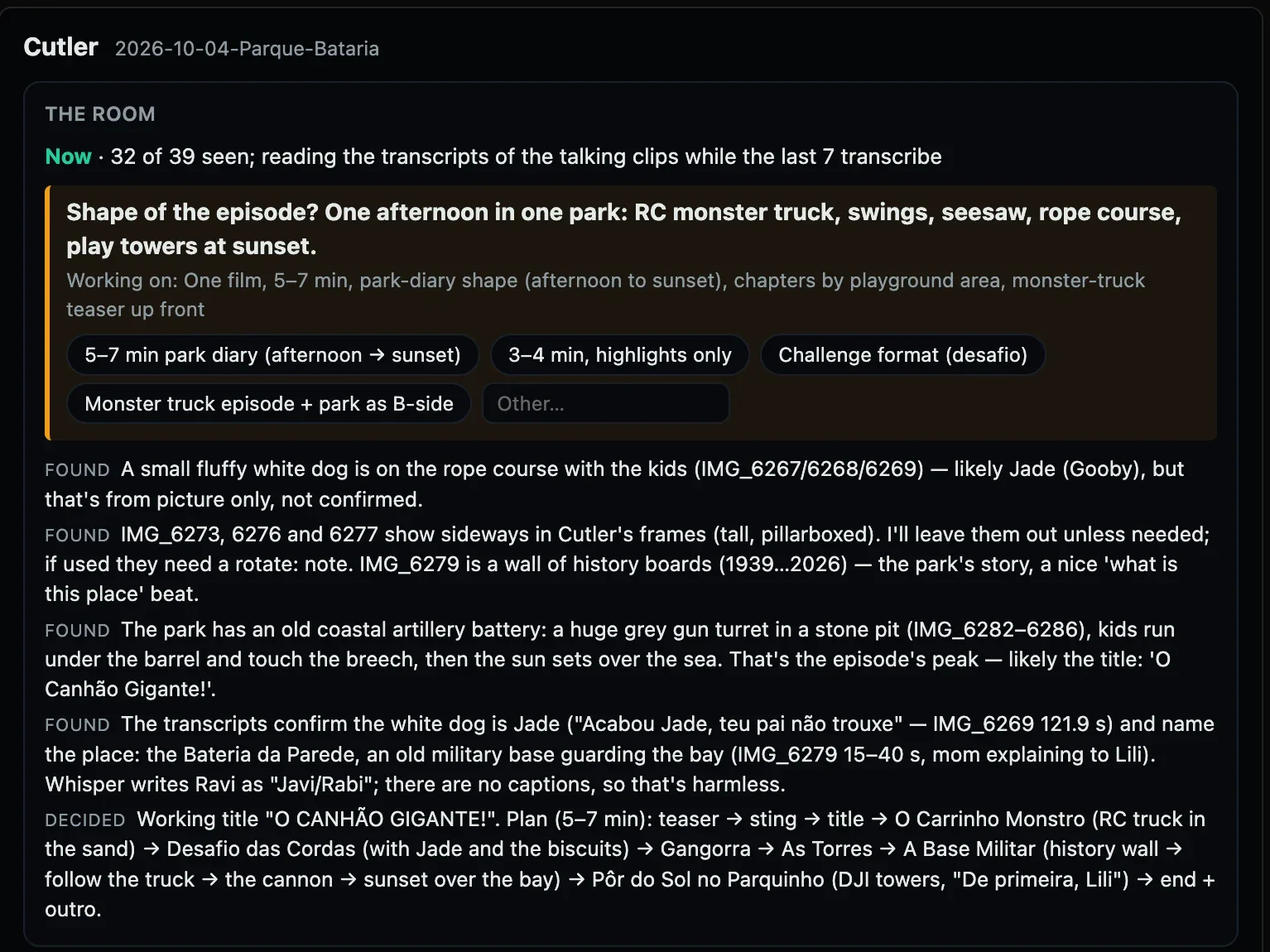
A big folder is one job with a running count, for example 384 of 1,513 clips described. A chat can hold about 70 contact sheets, so when it's full Cutler tells you to open a new chat and say "continue", and it picks up where it stopped. Long clips and clips with speech are described first. To describe hundreds of clips in one go, use an API key: Cutler shows the price before it runs.
Honest limits
- Still frames, not every frame. A half-second moment can fall between samples.
- Picture guesses are labelled. When something is only seen, not heard or confirmed, Cutler says so.
- The AI is yours. Descriptions run on your Claude or ChatGPT plan, a key you add, or a model on your Mac. See the choices.
Questions
Does logging upload my footage?
No. Your video files stay on your Mac and transcription runs there. Shot descriptions come from still frames, seen by your own Claude or ChatGPT, or by a Qwen model on your Mac.
Can it log footage with no dialogue?
Yes. Every shot gets a description of what's on screen, so b-roll, travel and action footage are logged too, not only interviews.
Which languages does it transcribe?
Whisper is multilingual, and Cutler picks the right model for non-English speech. Transcription runs offline.
Does it see every frame?
No. Descriptions come from frames sampled through each clip, so a very brief moment can fall between them. The optional motion layer watches clips as video, at extra cost.
Keep reading
Cutler · macOS · Apple Silicon
AI video editing that shows its work.
One-time purchase, €25 for the first 100 founder licences. Your AI plan stays yours.