Cutler / Features
Cutler features: AI video editing for Final Cut Pro, in plain words.
Cutler gives Claude or ChatGPT what it needs to edit video: eyes on your footage, sync, real editing tools and a Final Cut Pro project at the end. Here is all of it.
Updated 11 November 2026 · by Erik Lindgren, editor and maker of Cutler
Works where your AI works
Runs inside Claude or ChatGPT
No new app to learn. You brief your AI the way you would brief an assistant editor, and Cutler gives it the tools to do the job.
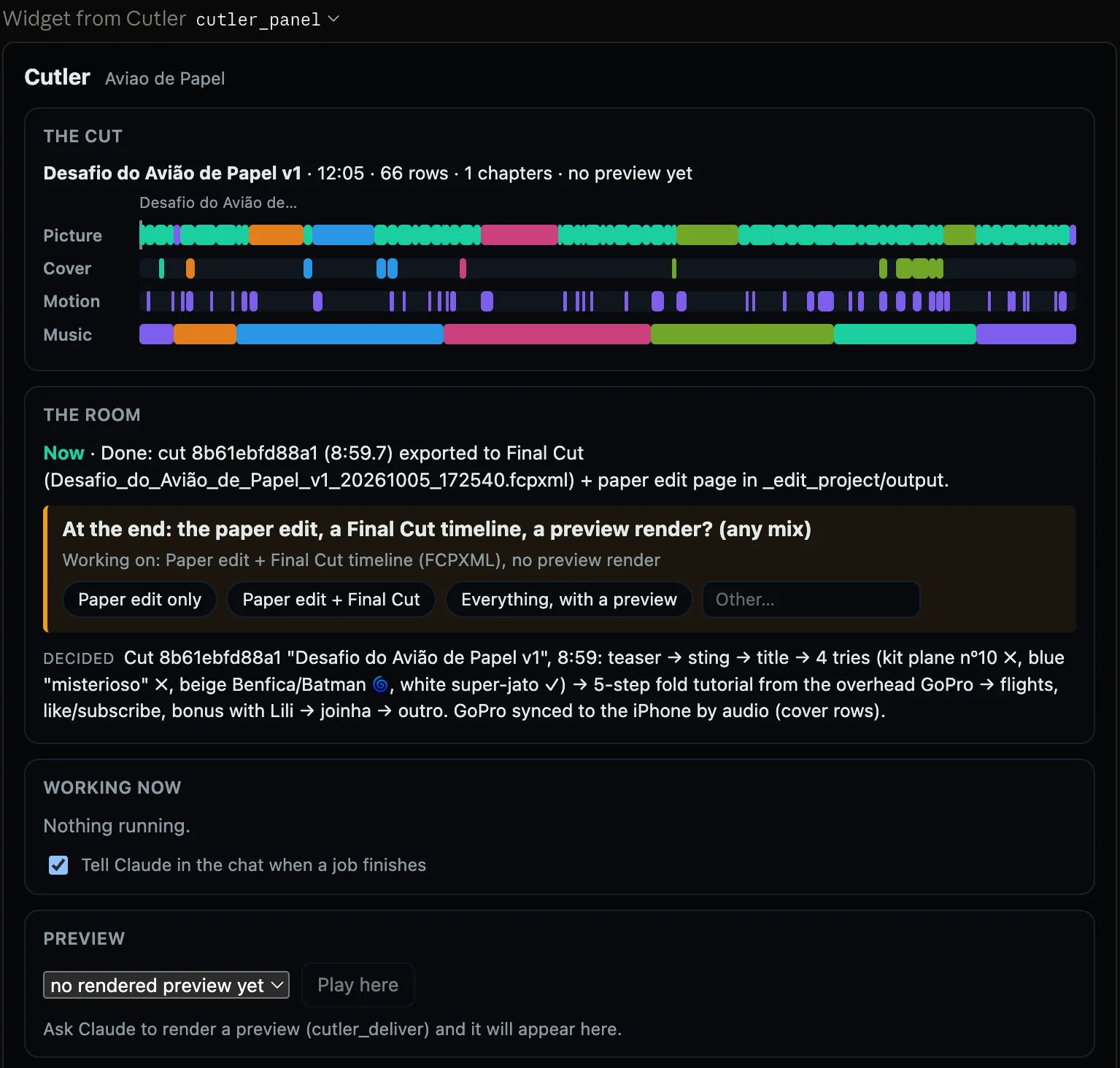
Point Claude Code at the files on your Mac for finished videos and Final Cut timelines.
No terminal. Cutler's panel shows the work as it happens.
The same tools inside the ChatGPT app, with the same live panel.
Sign in with your ChatGPT account and edit there instead.
It runs on the Claude or ChatGPT plan you already pay for. An API key is only an advanced option.
Cutler includes no AI and adds nothing to what your provider charges.
Reads your footage
It watches and listens before it cuts
Drop a folder of raw cards. Cutler learns what is in every clip, the way an assistant editor would on day one.
Several cameras, a separate recorder, a phone. No need to rename or sort first.
Timecoded, multilingual and offline. Your audio never leaves the machine.
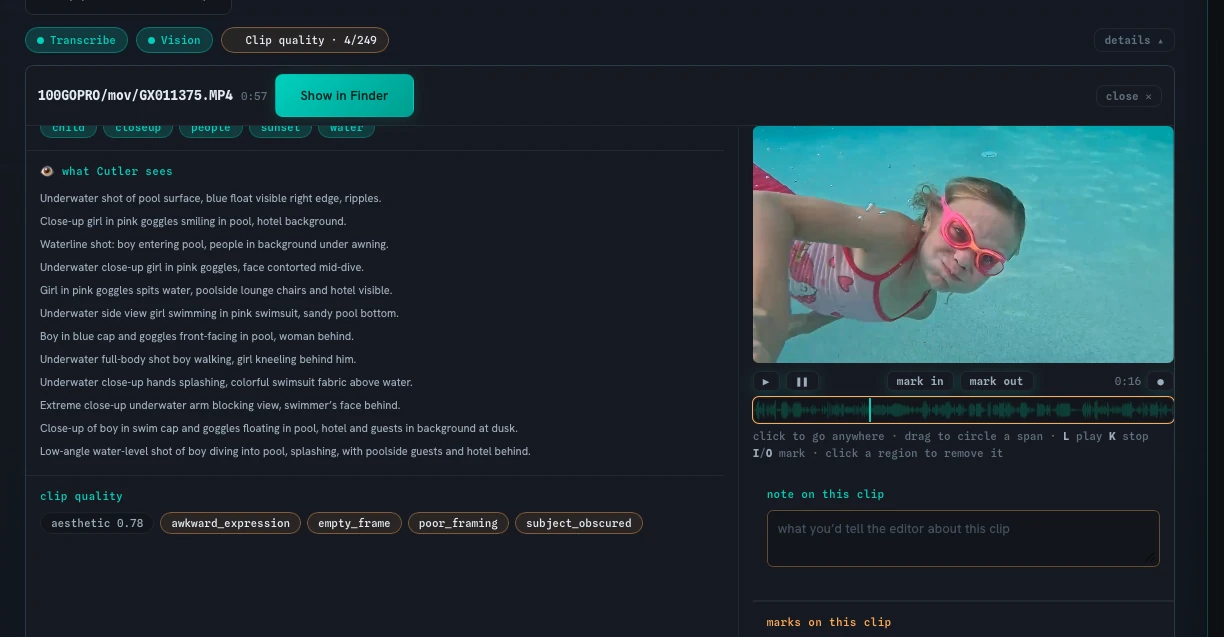
What is on screen and what is happening, so footage with no dialogue counts too.
Soft focus, blinks, motion blur, dark or shaky takes, awkward framing and empty frames get called out.
Subjects, light and defects become keywords that travel into Final Cut.
Mark in and out, drag on the waveform to circle a moment, and leave a note for the edit.
Sync and multicam
Synced by sound, delivered as multicam
The step every multi-camera job starts with, done before you open the editor.
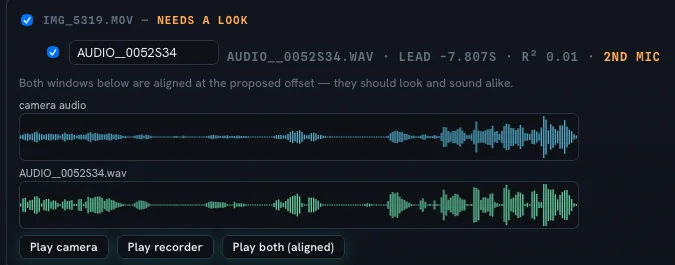
Cameras and recorders line up by their audio. No timecode or clap needed.
Say which recorder is the clean sound and which cameras matter most.
Doubtful alignments come to you to confirm, instead of being guessed.
Separate channel files from one take are grouped together.
Opens in Final Cut Pro as a multicam clip, angles where you expect them.
Brief and conversation
Tell it what the film is for
The conversation is the brief. Cutler keeps the decisions that need taste with you.
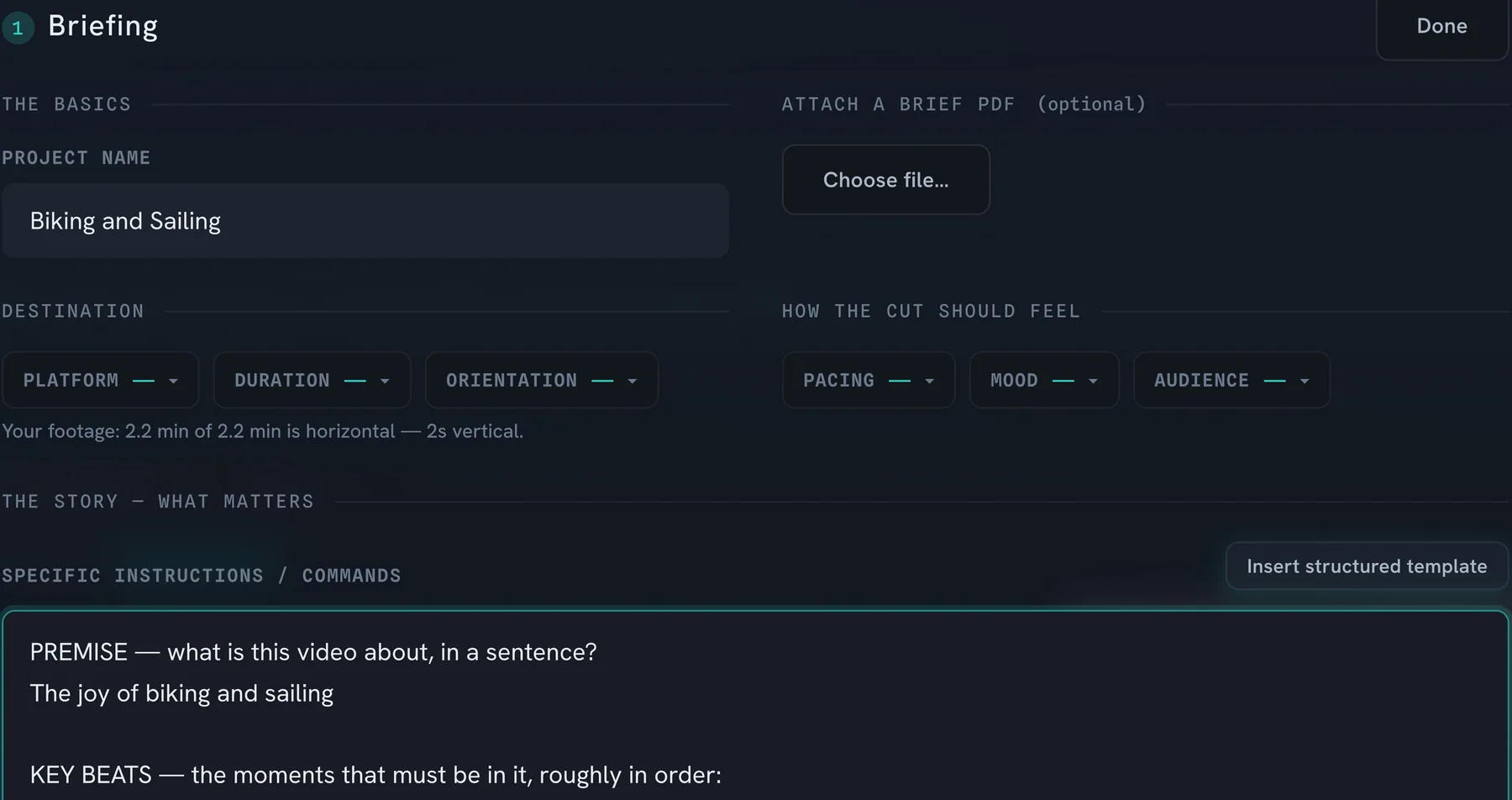
Premise, the beats that must be in, the payoff, the platform.
Ask what the strongest material is. It answers from what it saw and heard, with cautions.
Write your pacing, shot grammar and house style once. It is read before every cut, and you can switch it off.
Next to the destination you see what the footage is, such as how much of it is horizontal.
When a choice needs taste, you get a question with options, not a done deal.
Dim, soft or repetitive material is called out before it builds the cut.
The first cut
A first cut you can read and argue with
The proposal arrives as a paper edit, so you can see why every clip is there before you open anything.
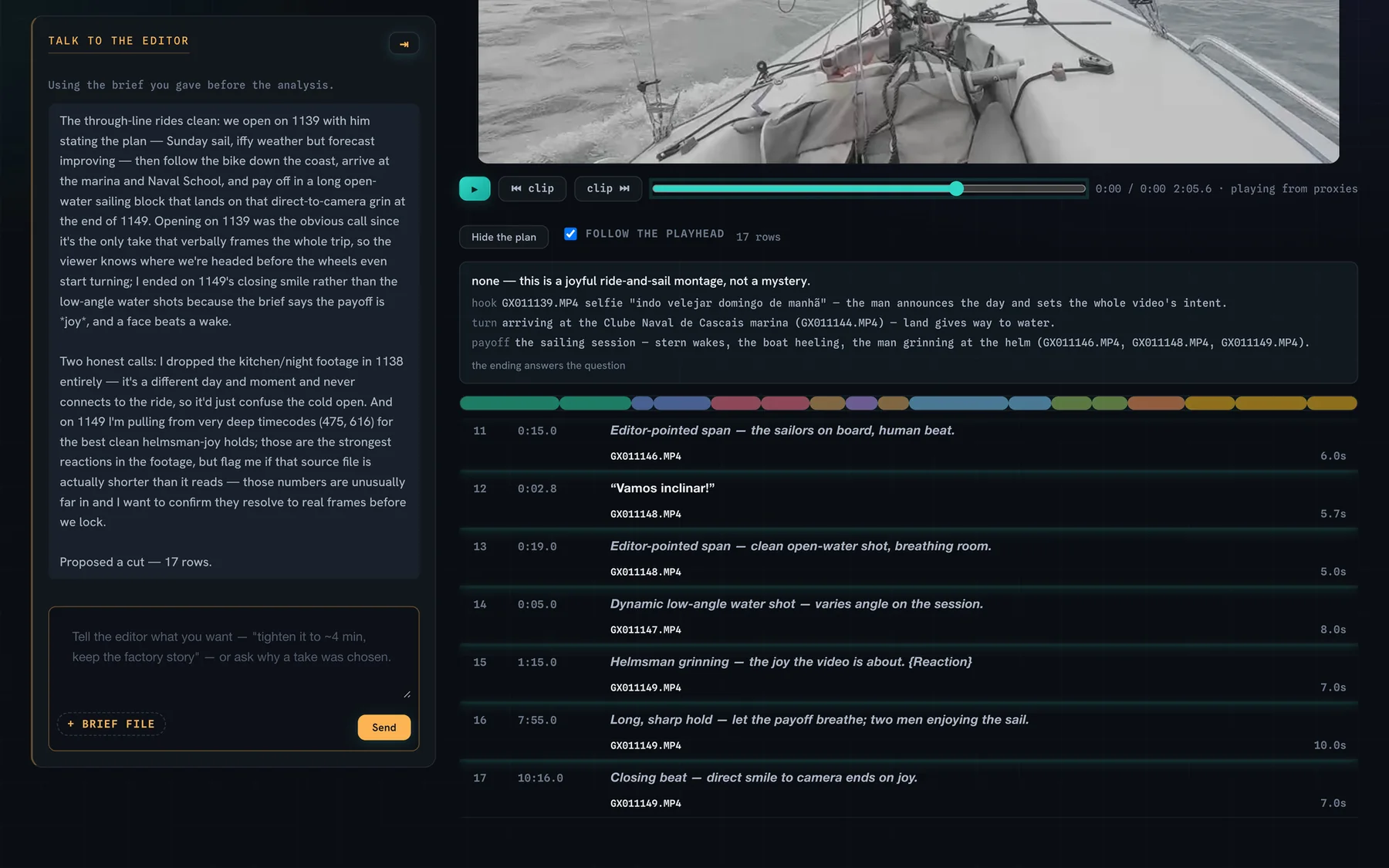
Each row has its source, its timecodes and why it is in the cut.
The hook, the turn and the payoff are named, and a ribbon shows every shot with width as time.
Say "the payoff drags" and only that changes. The rest stays as it was.
The good takes, laid out, ready to become extra sequences.
Music under the cut, plus graphics and layouts when the brief calls for them.
Dialogue levelled and music lowered under speech.
Watch the cut inside Cutler, or ask for a rendered preview with music and graphics.
Delivery
A project, not a render
What arrives in your editor is something you can keep cutting, on the media you shot.
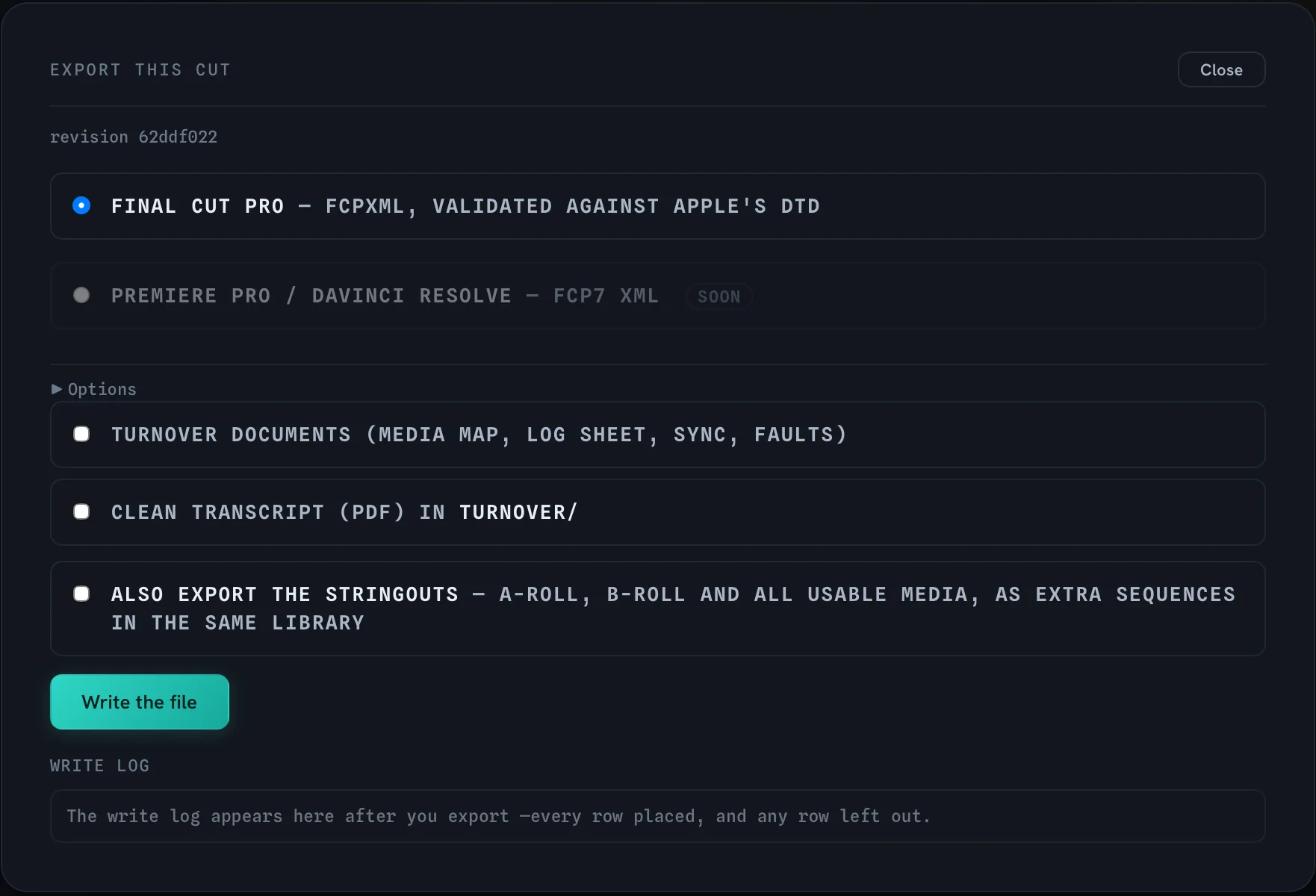
An FCPXML file with roles, keywords and native multicam.
Every file is validated against Apple's own FCPXML DTD.
Every clip points at your files where they are. Nothing re-encoded, copied or generated.
Keywords for subjects, light and defects, plus selects, circled moments and unused takes.
Turnover documents, a clean transcript and the stringouts as extra sequences, with a log of every row placed.
A rendered H.264 master at the sequence's own shape, loudness-normalised for online.
XML export for both.
Privacy
What leaves your Mac, in plain terms
Some of it is local. The editing decisions are not, and Cutler doesn't pretend otherwise.
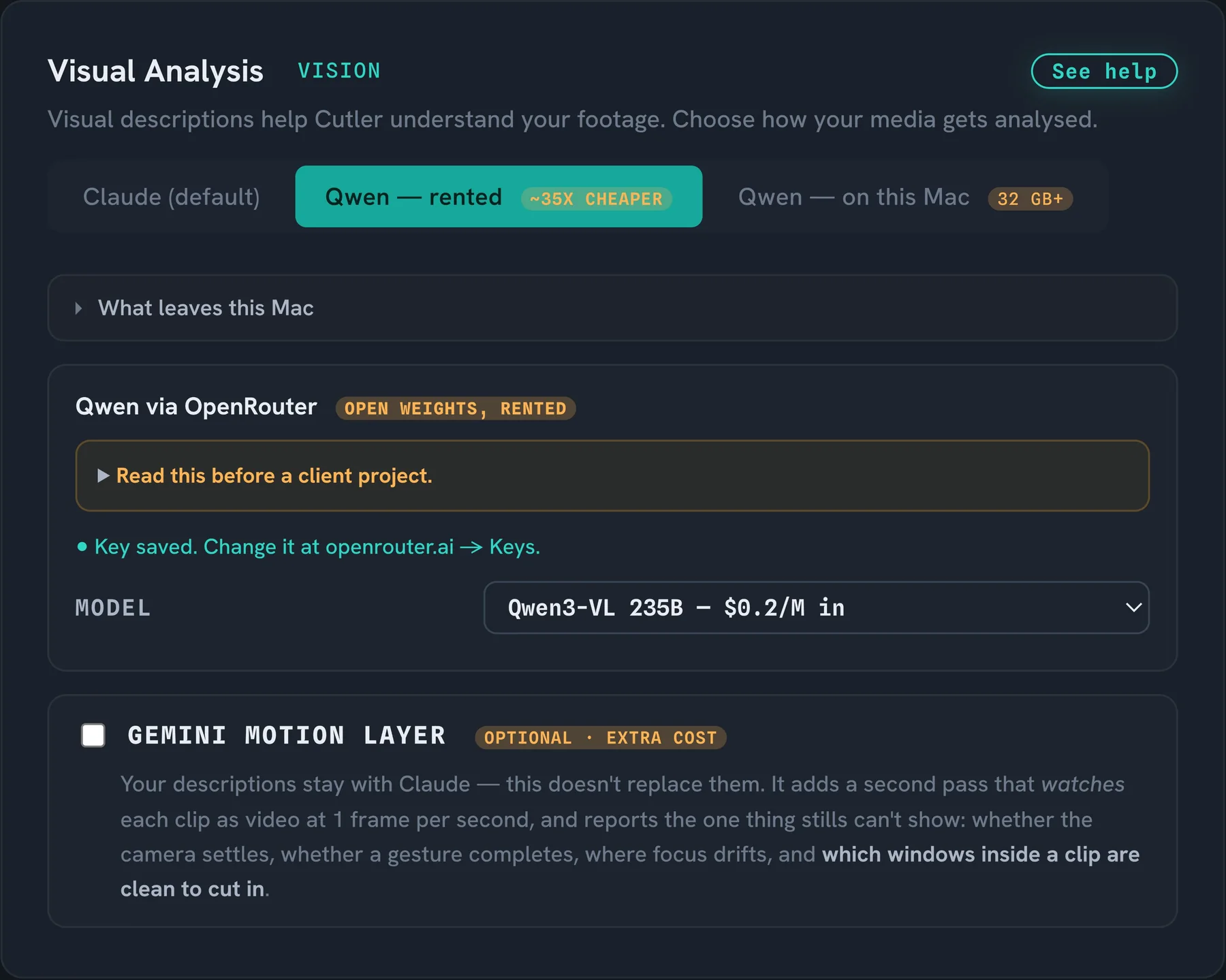
Whisper runs on your Mac. There is no cloud option.
Video files are never uploaded or copied into a project.
The AI sees still frames through your own Claude or ChatGPT account, or through Qwen on your Mac with 32 GB of memory or more.
The editing decisions run in Claude or ChatGPT, under your own account and its terms.
Owning it
Pay once, own it
No subscription, no lock-in.
€25 for the first 100 founder licences, with 12 months of updates included.
After the update year the app keeps working. Further updates are an optional renewal.
Your projects are normal Final Cut projects on your own media. Stop using Cutler tomorrow and you lose nothing.
7 days, the whole app, no card.
Before you try it
Is Cutler for you?
Yes, if
- You cut interviews, podcasts, talks, events, travel or b-roll, with or without dialogue.
- You shoot with more than one camera or a separate recorder.
- You finish in Final Cut Pro on an Apple Silicon Mac.
- You already use Claude or ChatGPT, or are happy to.
- You want the assistant's work done and the edit left to you.
Not yet, if
- You edit on Windows or an Intel Mac.
- You finish in Premiere Pro or DaVinci Resolve and need export you can rely on today. It is in beta.
- You want AI to generate footage. Cutler only cuts what you shot.
- You want a finished video with no human pass. Cutler proposes; you decide.
Keep reading
Cutler · macOS · Apple Silicon
AI video editing that shows its work.
One-time purchase, €25 for the first 100 founder licences. Your AI plan stays yours.