Cutler / Agentic video editing
Agentic video editing, that shows its work.
Agentic video editing is when you hand the cutting to an AI agent instead of doing every trim yourself. The catch is trust: most agents hand back a finished edit with no way to see why. Cutler takes the other road — it lets your own Claude or ChatGPT build the cut as a paper edit you can read, a reason on every clip, inside a real Final Cut Pro project.
Updated 6 November 2026 · by Erik Lindgren, editor and maker of Cutler
What "agentic" means here
An agent is software that takes a goal, decides the steps, and carries them out — not a filter you tweak, but something you brief. Agentic video editing points that at footage: you describe the piece you want, and the agent reads the material, chooses the shots, orders them and builds the cut.
The word describes the activity, not a product. Cutler has no AI of its own — you bring your own Claude or ChatGPT, under your own account. Cutler is the bridge: it gives that agent eyes on your footage and hands to work in Final Cut, and it writes down every decision as it goes. The editing is agentic; the reasons stay yours to check.
Three ways people do it now
"Agentic" covers more than one kind of tool. They differ most in one thing: how much of the decision you get to see, and whose project you end up in.
An agent searches your library, pulls the clips that match a prompt and drops them on a timeline. Fast for stock-style assembly. But the choices arrive without reasons, and you work on the agent's terms — not inside the project you were already cutting.
You upload your footage to a web app and chat with its editor. Convenient, until it isn't: the material leaves your machine, the timeline belongs to the tool, and you finish in software you don't own and can't take with you.
You point your own Claude or ChatGPT at footage on your Mac. It reads and logs the material, proposes the cut as a paper edit with a reason on every row, asks before the calls it can't make alone, and opens the result as a real Final Cut Pro project. Nothing uploads. The reasons are on the page, and the timeline is yours to finish your way.
What the work looks like
The difference is concrete. Before Cutler cuts, it shows you what it's about to do: a proposed edit with the reasoning written next to each clip, so you argue with the plan instead of hunting through a mystery timeline.
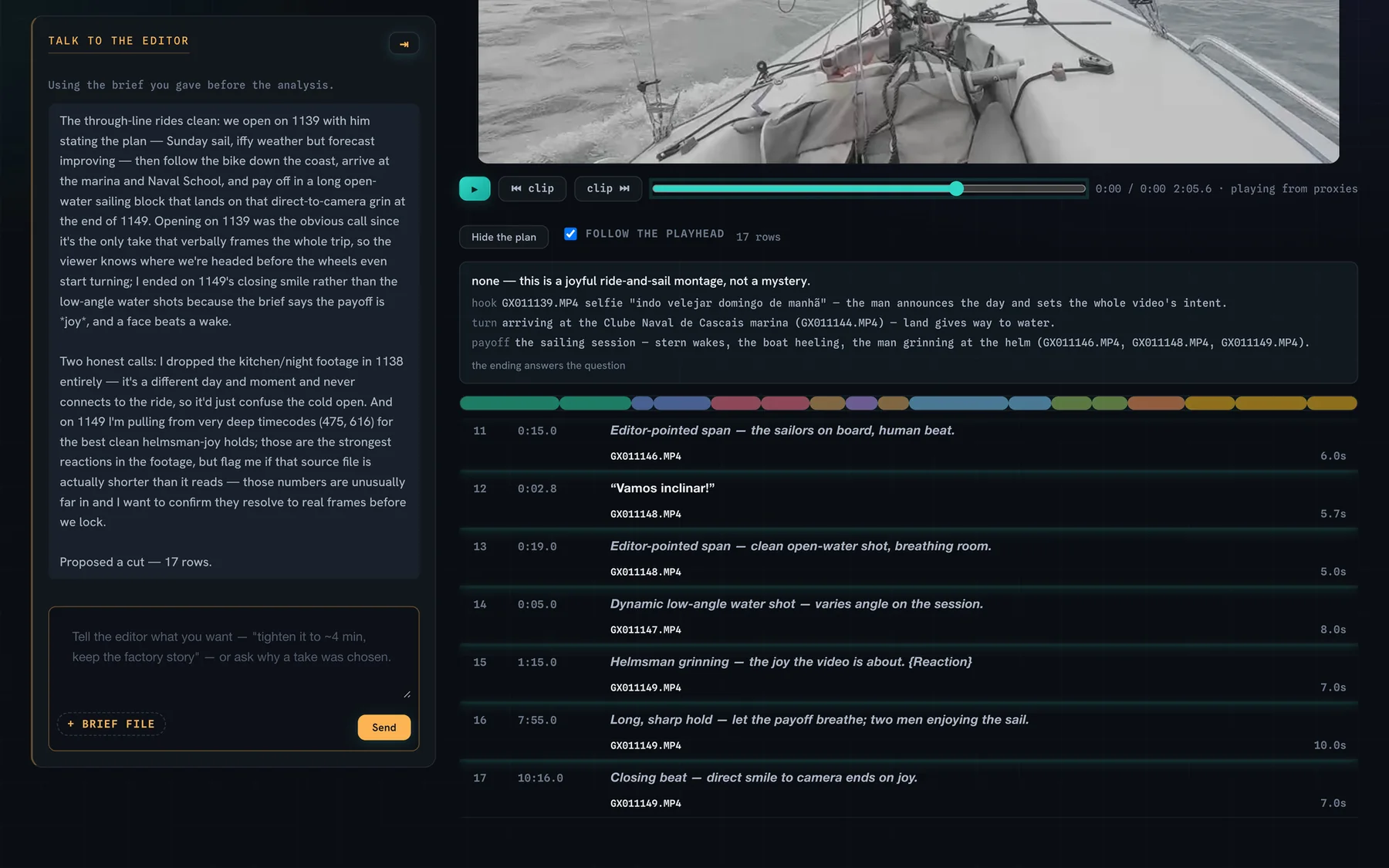
And it reasons from what it actually saw and heard — not from the filename. It names the strong material, flags the dim, soft or repetitive shots, and tells you what it would keep short and why.
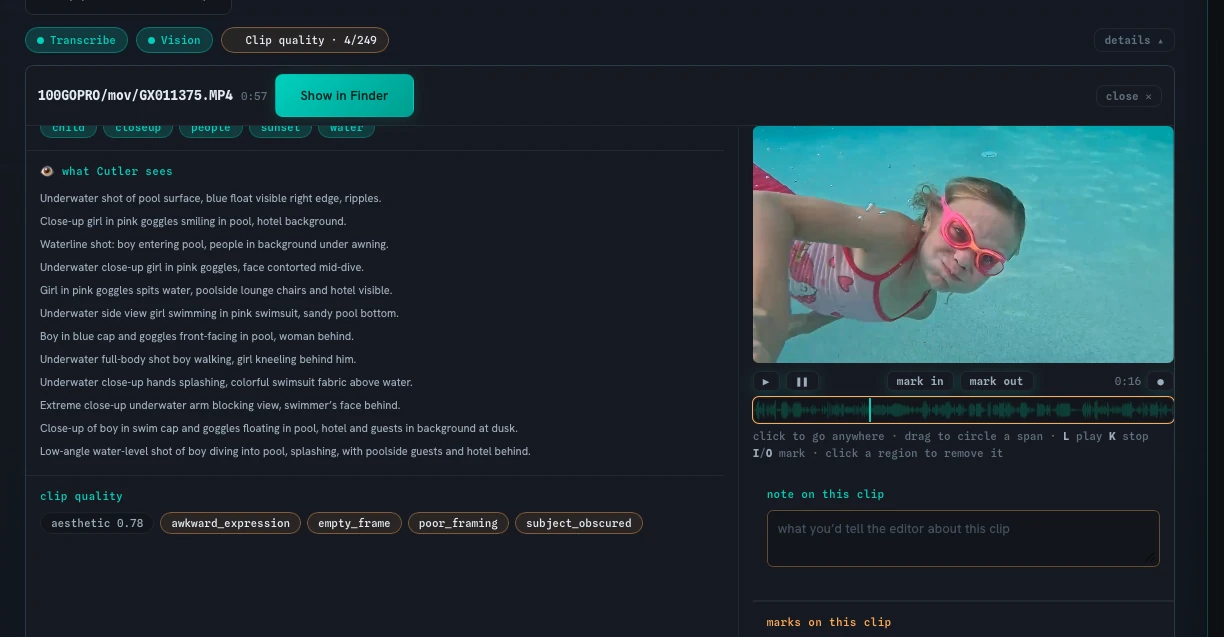
The rule it works by
If a choice can be justified from the footage, your brief and your editing doctrine, Cutler makes it. If it needs taste the data can't supply, it hands it back to you — named, not buried. That's what "shows its work" means: agentic where the work is mechanical, yours where it's a judgment call.
Keep reading
Cutler · macOS · Apple Silicon
Agentic video editing that shows its work.
One-time purchase, €25 for the first 100 founder licences. Your AI plan stays yours.