Cutler / AI video editor
AI video editor for Mac
An AI video editor for the footage you shot.
Search for an AI video editor and you'll find three different kinds of tool under one name. Here's how to tell them apart, and where Cutler fits: it cuts the footage on your Mac into a Final Cut Pro project, with a reason on every clip.
Updated 21 November 2026 · by Erik Lindgren, editor and maker of Cutler
Three kinds of AI video editor
01
Generators
Make new footage, avatars or voices from a prompt or a script. Useful when nothing was filmed.
Not Cutler. It cuts what you shot.
02
Online editors
Upload a clip and get captions, resizes, highlights and templates in the browser. Quick for social posts from one recording.
Not Cutler. Your media stays on your Mac.
03
Editing assistants
Work on a real shoot: hours of footage, several cameras, separate sound. They hand an editable timeline to your editing app.
This is Cutler.
What Cutler does with your footage
- Point it at a folder. Raw camera cards, phones and recorders as they came off the shoot. No renaming or sorting first.
- It listens and looks. Transcription runs on your Mac. Every shot gets a description, and soft, dark or shaky takes are flagged.
- It syncs by sound. Cameras and separate audio line up by their waveforms, and doubtful pairs come back to you.
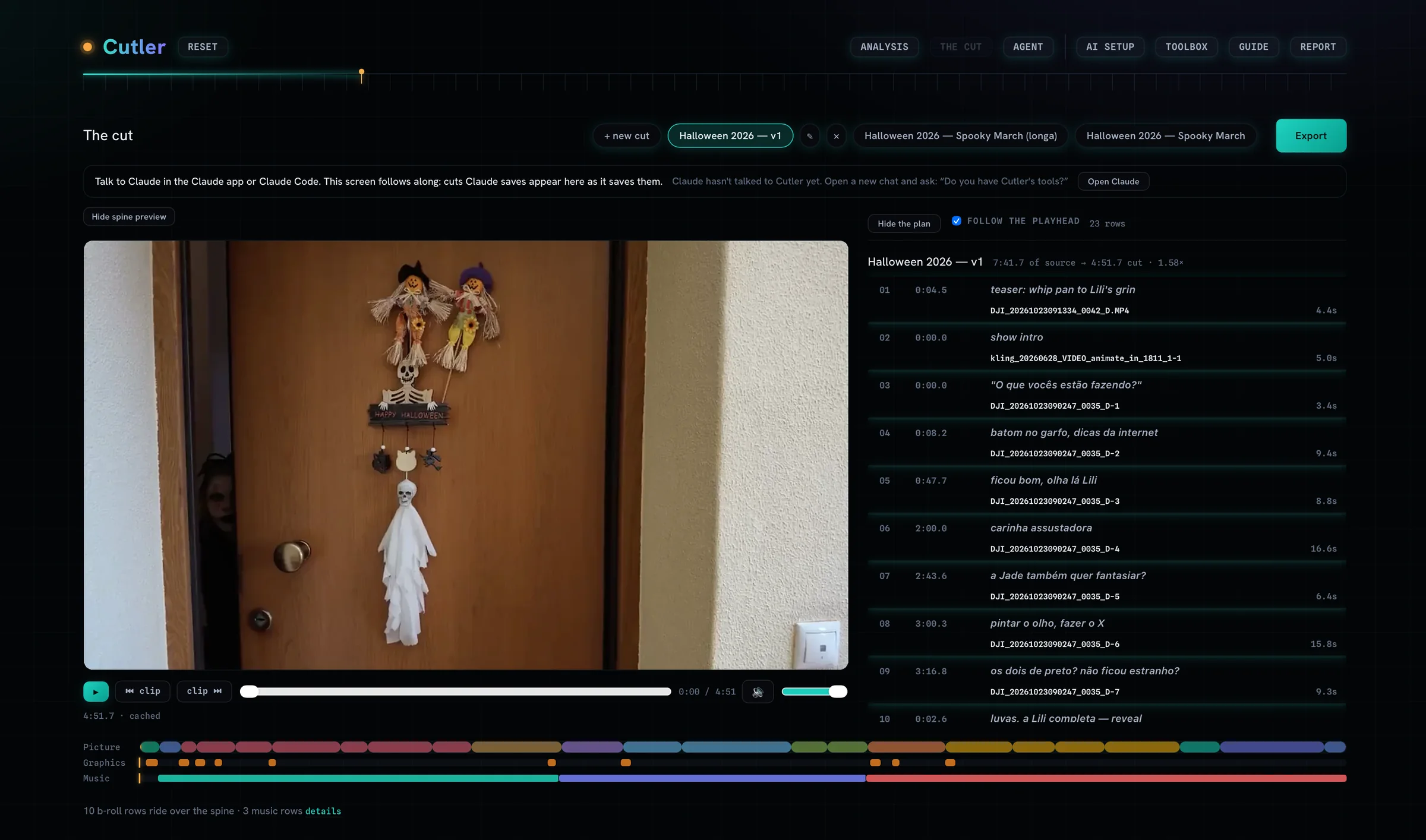
- Your AI proposes a first cut. Claude or ChatGPT writes a paper edit with a reason on every row. You argue with it in plain words.
- You finish in Final Cut. A Final Cut Pro project with roles, keywords and native multicam, on your original media.
Who it's for
Editors and videographers on a Mac with real footage to get through: interviews and corporate films, documentaries, events, travel, and talking-head videos for people who'd rather record than edit.
Why editors pick it over other AI video editors
- It shows its work. Every clip in the cut says why it's there, what was checked and what's left to you. How that differs from other tools.
- Your AI, your plan. It runs in Claude or ChatGPT on the plan you already pay for. What the AI sees.
- A project, not a render. You get a Final Cut Pro timeline you can keep cutting, linked to your camera files. More on the Final Cut project.
- Pay once. A one-time licence, no subscription, no credits per hour of footage. Pricing.
What you need
An Apple Silicon Mac on macOS 14 or later, a Claude or ChatGPT plan, and Final Cut Pro for the full result. Premiere Pro and DaVinci Resolve export is in beta. The full list is on what Cutler can't do.
Questions
Is Cutler an AI video generator?
No. It doesn't make new footage, avatars or voices. It cuts the footage you shot and hands you the edit.
Does it work without Final Cut Pro?
You can export a finished video, an H.264 master, without opening an editing app. The full result is a Final Cut Pro project you can keep cutting. Premiere Pro and DaVinci Resolve export is in beta.
Which Macs does it run on?
Apple Silicon Macs on macOS 14 or later. There's no Windows or Intel version.
Do I need to pay for the AI separately?
It runs on the Claude or ChatGPT plan you already have, with no API key. Cutler includes no AI of its own and adds nothing to what your provider charges.
Keep reading
Cutler · macOS · Apple Silicon
AI video editing that shows its work.
One-time purchase, €25 for the first 100 founder licences. Your AI plan stays yours.